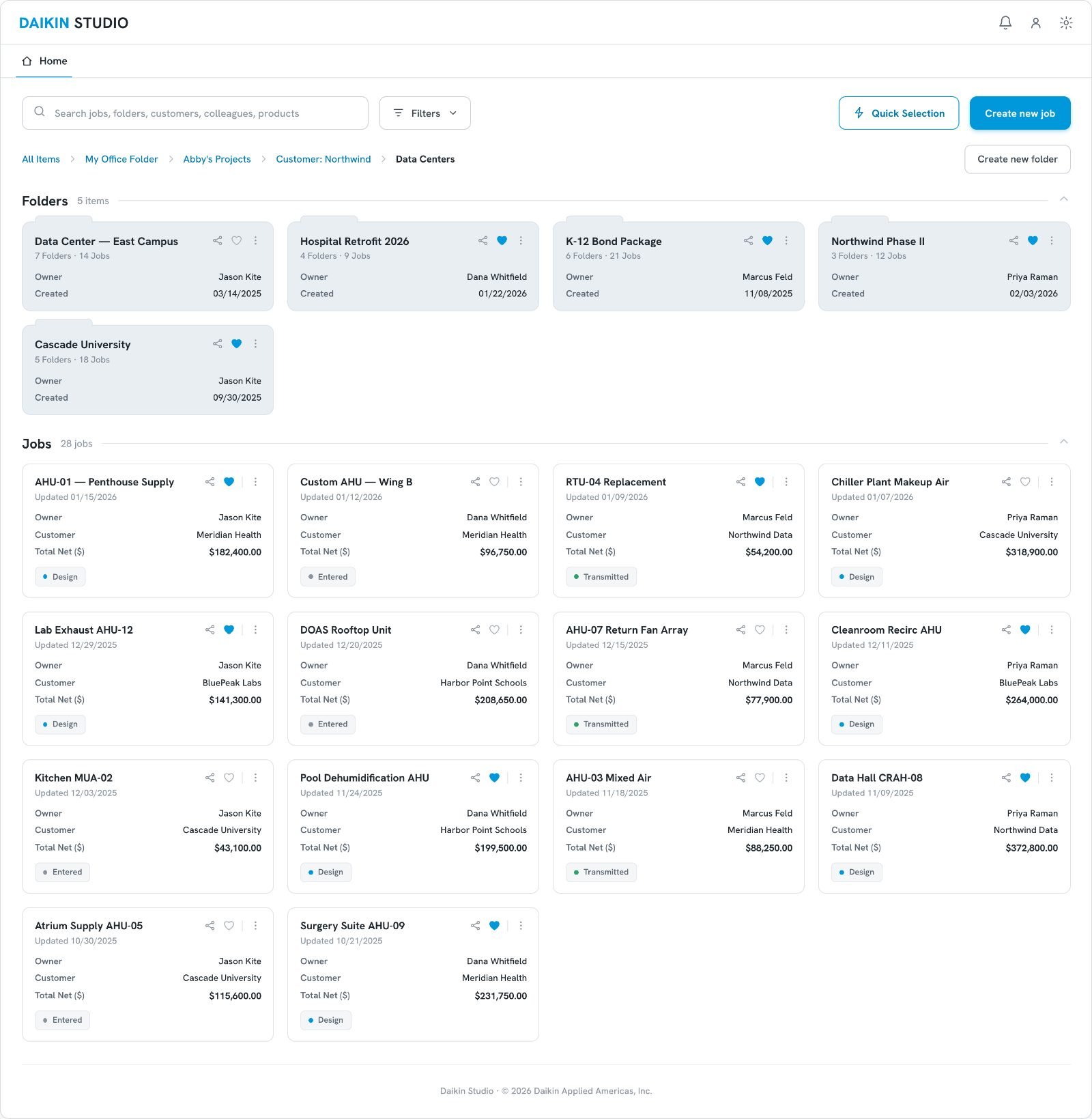
The Burden of Legacy Systems
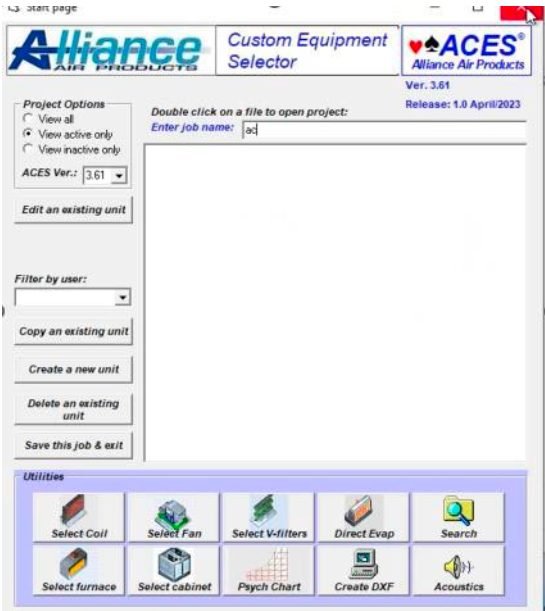
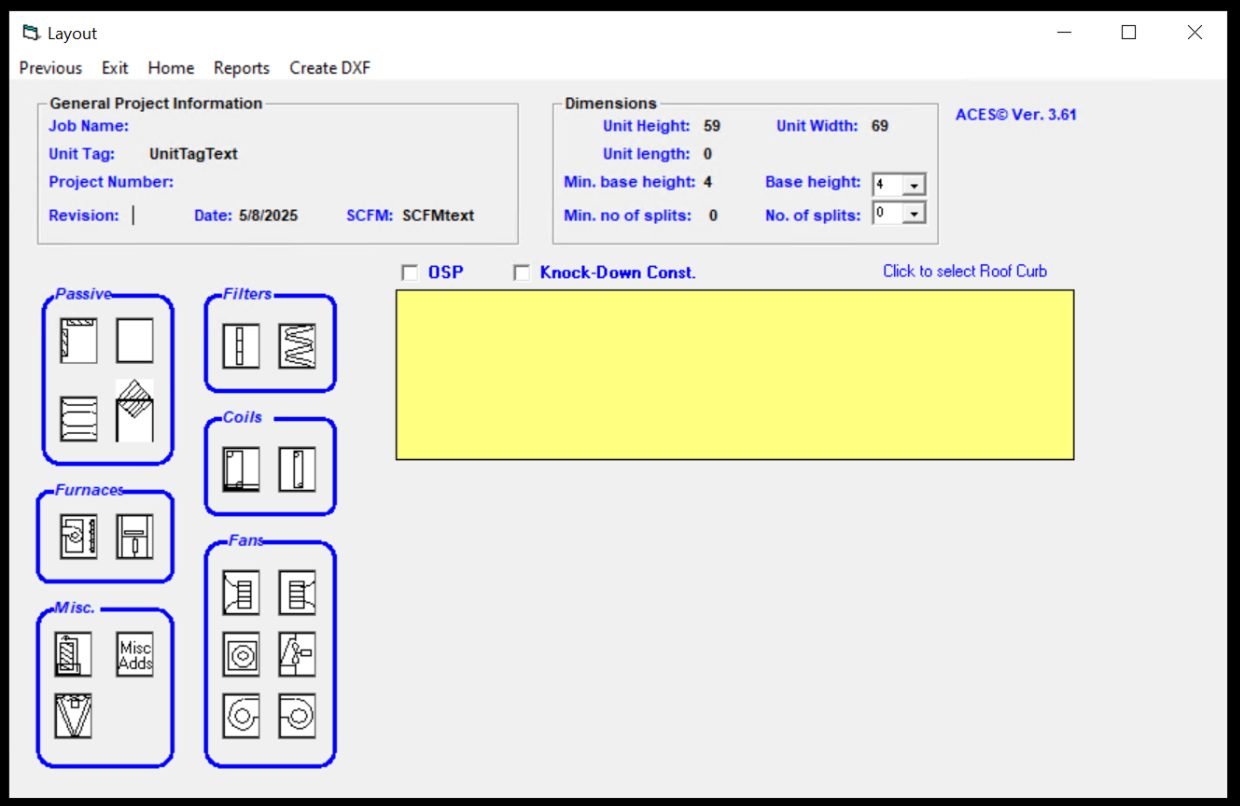
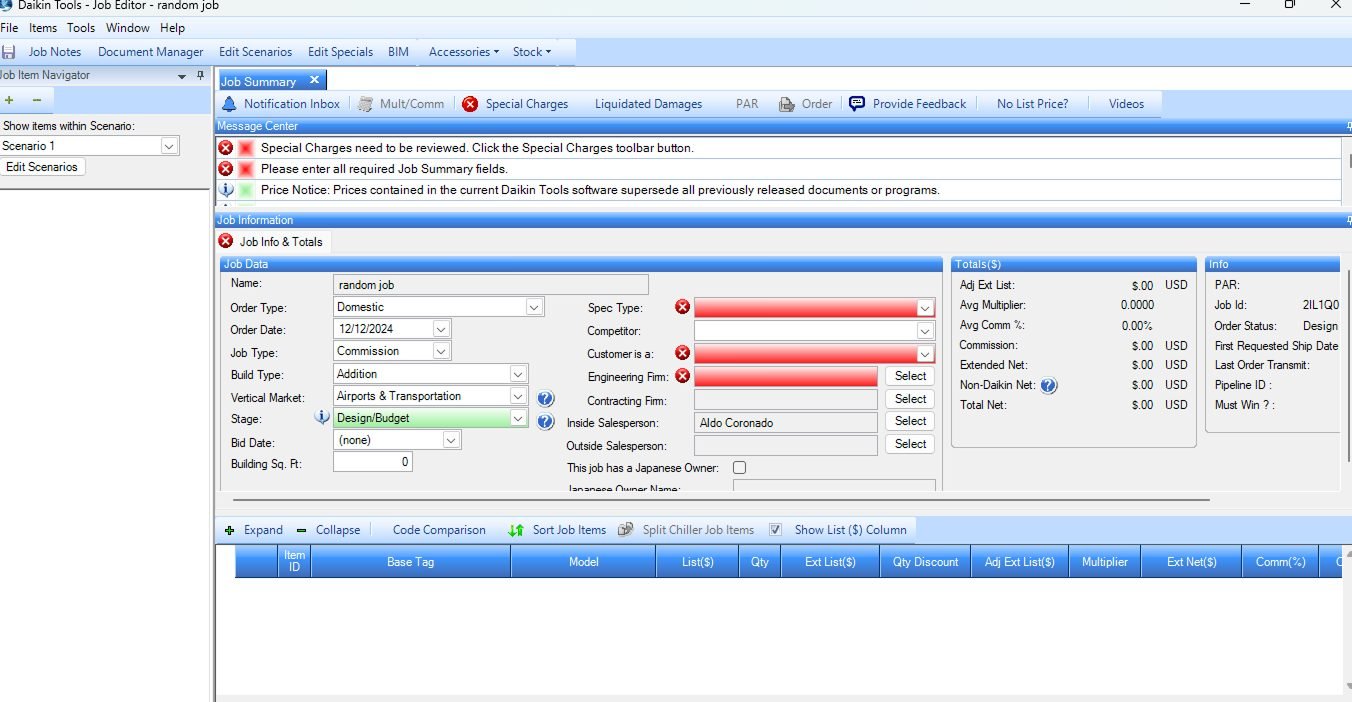
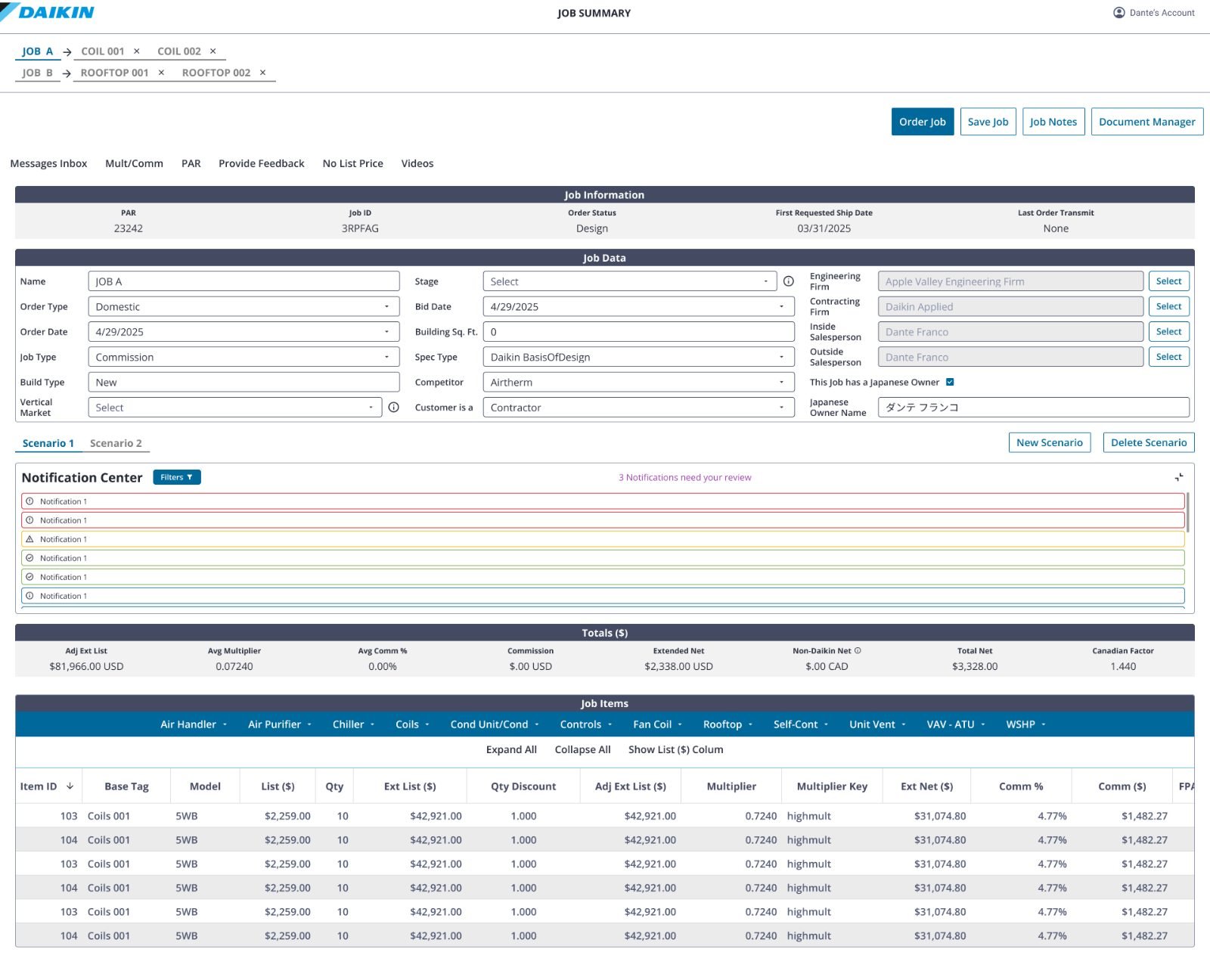
Daikin relied on two distinct, aging platforms for custom engineering and quoting.
Daikin Tools
A highly complex Windows desktop app requiring local installation and constant version updates.
ACES
Proprietary engineering software that forced users through a cumbersome VPN and RemoteApp login just to open it.
Friction at Every Step
Three compounding problems slowed every quote and every handoff.
Generating a single quote took 45–50 minutes due to overwhelming data entry across fragmented interfaces.
Severe alert fatigue. The system flagged non-critical warnings with aggressive red UI, hiding real engineering conflicts.
Locked desktop instances and version-control issues blocked collaboration between sales and engineering.
My Role on Daikin Studio
- Primary designer on the visual configuration builder for custom air handlers, with support from the mid-level designer.
- Proposed and specified Smart Resolve, after finding the pattern during competitive research.
- Argued for rebuilding from scratch instead of porting the desktop apps to web.
- End-to-end UX/UI leadership, co-led with a mid-level designer.
- User interviews, run alongside a researcher shared across several projects.
- Weekly iteration with the PM and SMEs, technical alignment with BAs and POs, design reviews with the UX Manager and Director.

Discovering the Real Friction
10 in-depth interviews with Lead Sales Representatives and Engineers across US offices who used both Daikin's legacy tools and competitor platforms.
We analyzed competitors such as Nortek alongside our own internal legacy tool (ACES) to baseline industry standards.
Users needed a way to generate fast preliminary quotes for clients without being blocked by deep engineering requirements — exact site latitude, indoor/outdoor constraints, and the rest.
From “Lift-and-Shift” to a Web-Native Future
Stakeholders initially wanted to replicate the Windows apps in a web environment. Analyzing the journey revealed the workflows themselves were broken — porting them would have carried the friction across.
Build Daikin Studio from scratch. Decouple the quick sales quoting process from detailed engineering configuration — so no one has to complete the entire journey just to get a price.
Managing the Adoption Risk
Sales reps and engineers had worked inside Daikin Tools for years. The real fear was not technical — it was that people would reject a new environment and refuse to rebuild a mental model they had spent a decade forming.
We launched Daikin Studio with one product line: custom air handlers. Everything else stayed in Daikin Tools, so adoption could be progressive instead of forced — and reversible if it went badly.
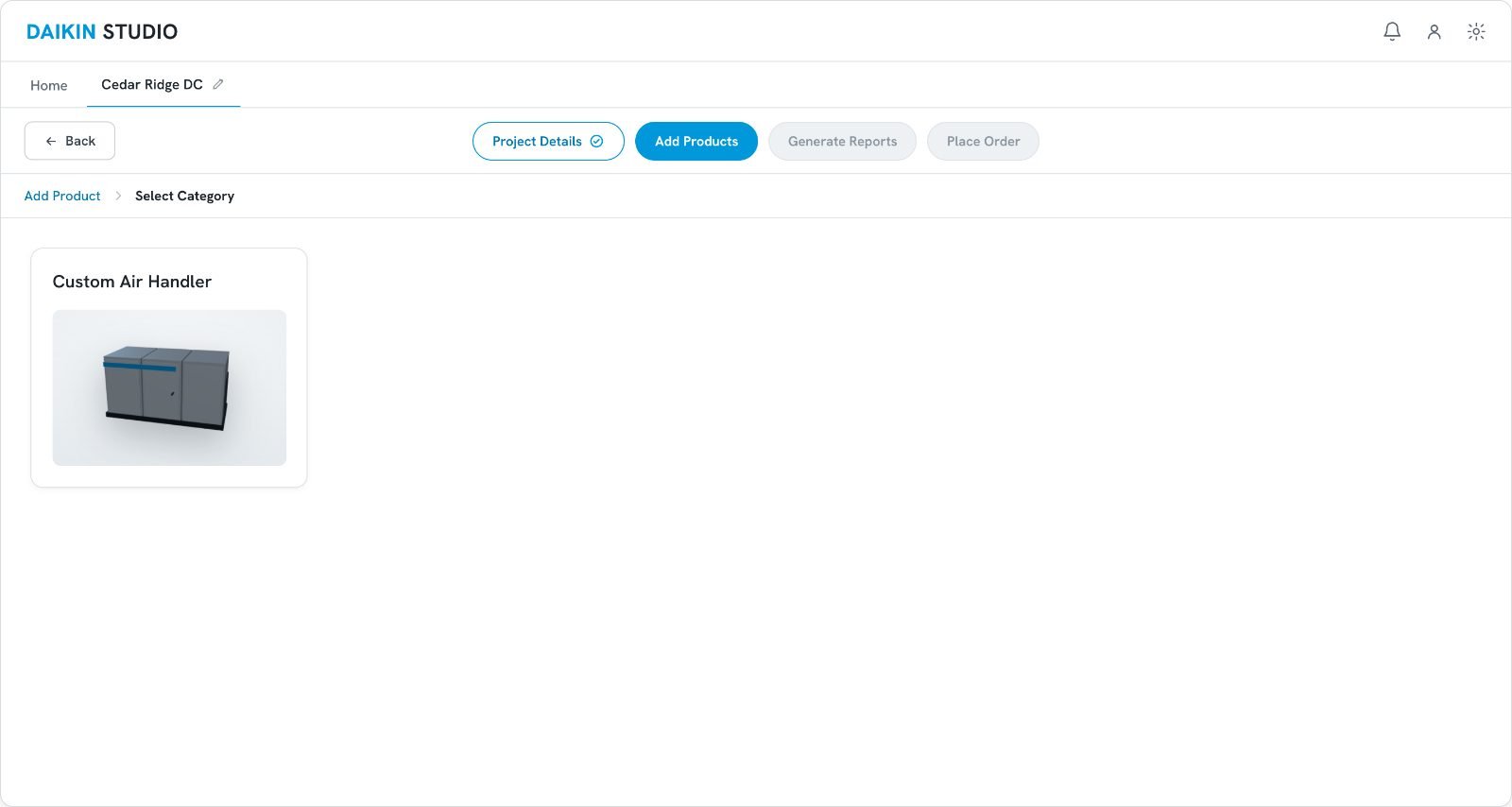
Custom Air Handlers
Rebuilt from scratch on the web. One product line, end to end.
Coils · Chillers · Air Purifiers · Everything else
Untouched on the desktop, until Studio earned the migration.
Scoping the launch to a single product line is what made the rebuild survivable — nobody had to abandon a decade-old tool overnight.
Designing for Speed: Quick Selection
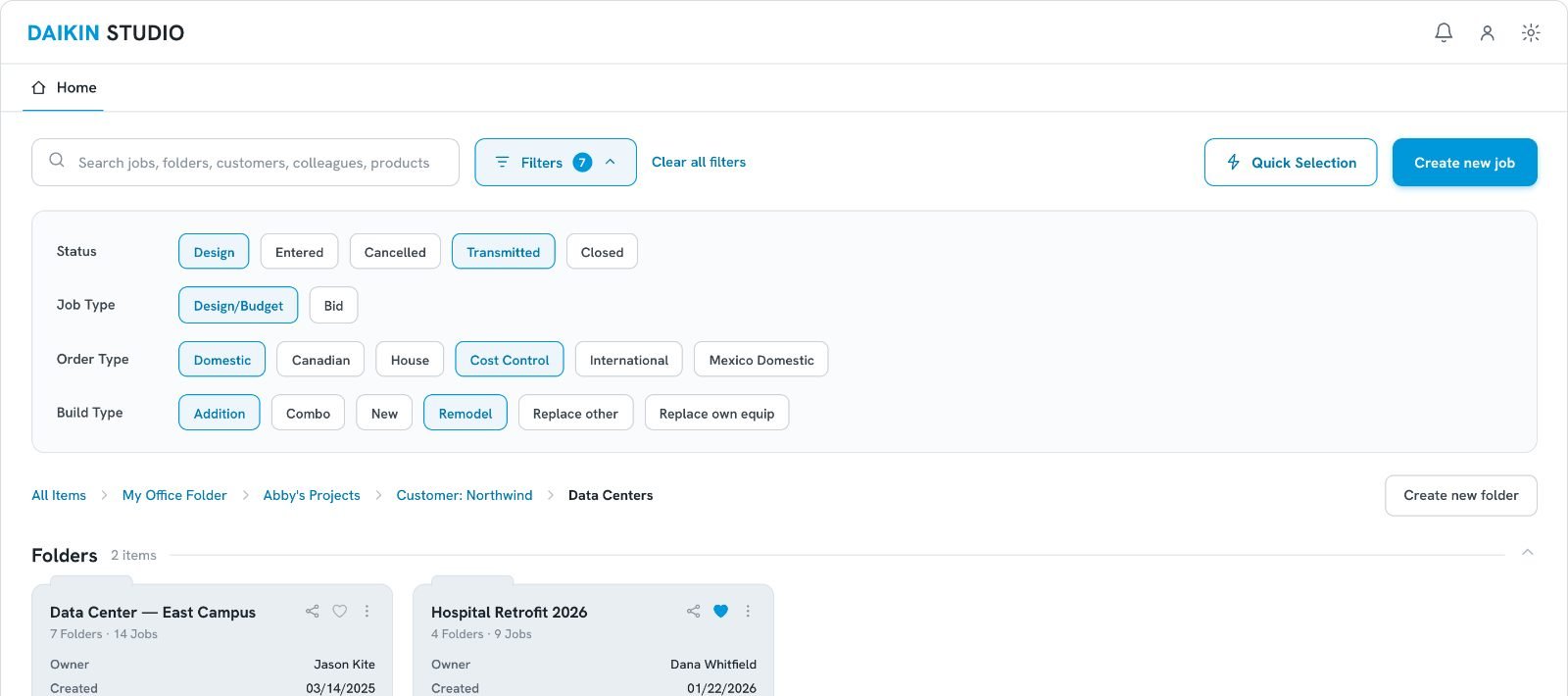
A rapid configuration flow. Sales reps configure baseline products quickly, send the quote, and later assign that product to a fully engineered project once it is approved — so a client can see a number without an engineer touching the file first.
One product line at launch — coils, chillers, rooftops and air purifiers were planned to follow.

Where the 70% Comes From
The time did not come from a faster form. It came from taking the job-setup stage out of the path to a first quote.
Legacy Job Summary — the full job-data form, filled before any pricing.
Project Details — six fields, then straight to configuration.
Submittal Package Generator — the first quote.
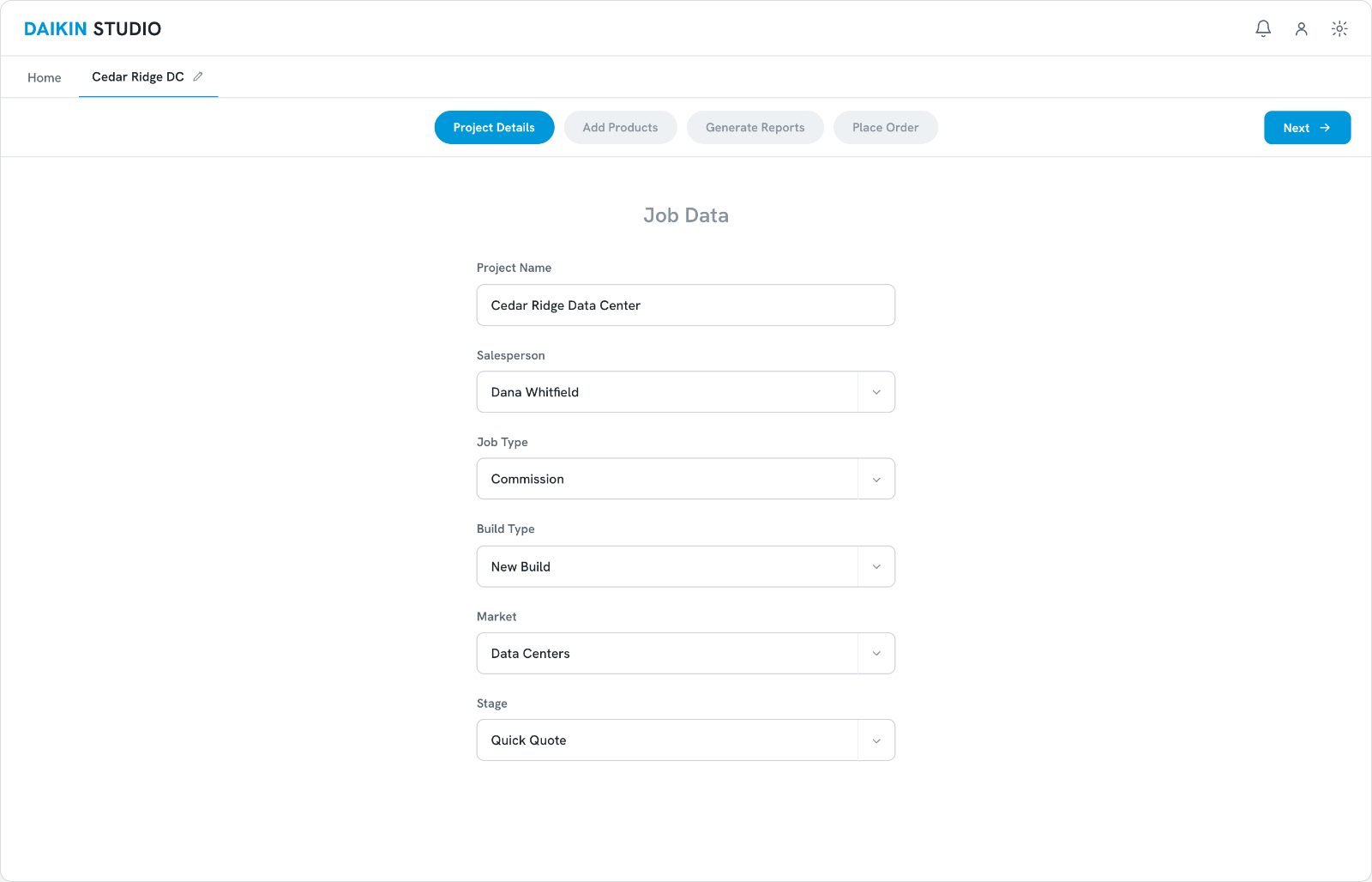
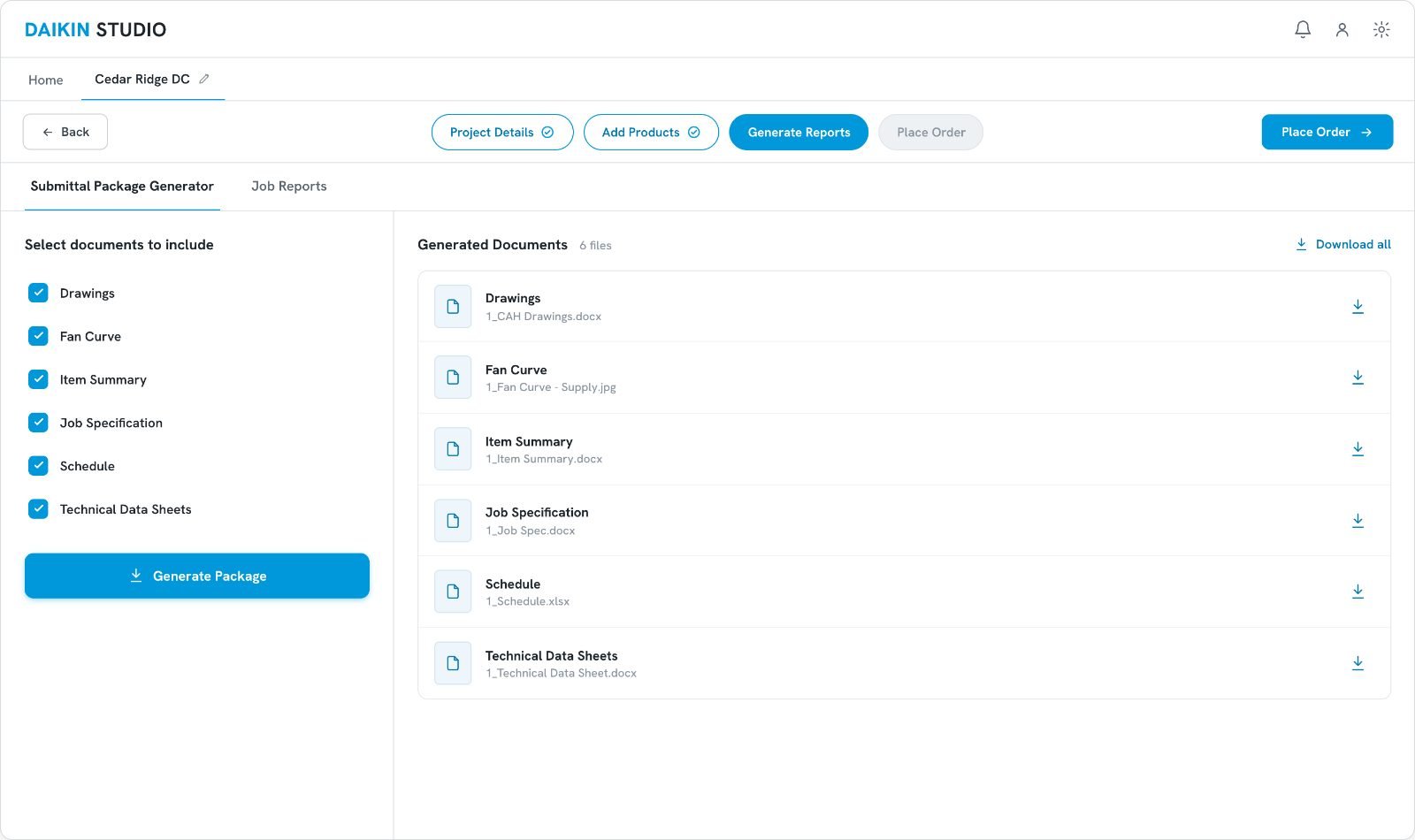
Baseline: 45–50 minutes, self-reported by sales reps in interviews. After: 10–15 minutes, projected from the stages removed from the path to a first quote. The mechanism is measured; the time saved is an estimate, not instrumented.
Impact
Average time to generate a quote dropped from 45–50 minutes to 10–15 minutes. A quote that used to need an engineer in the loop can now be produced by a sales rep alone, in one sitting.
Baseline from user interviews: reps reported 45–50 minutes to take a custom air handler from client and project data entry through to a first quote.
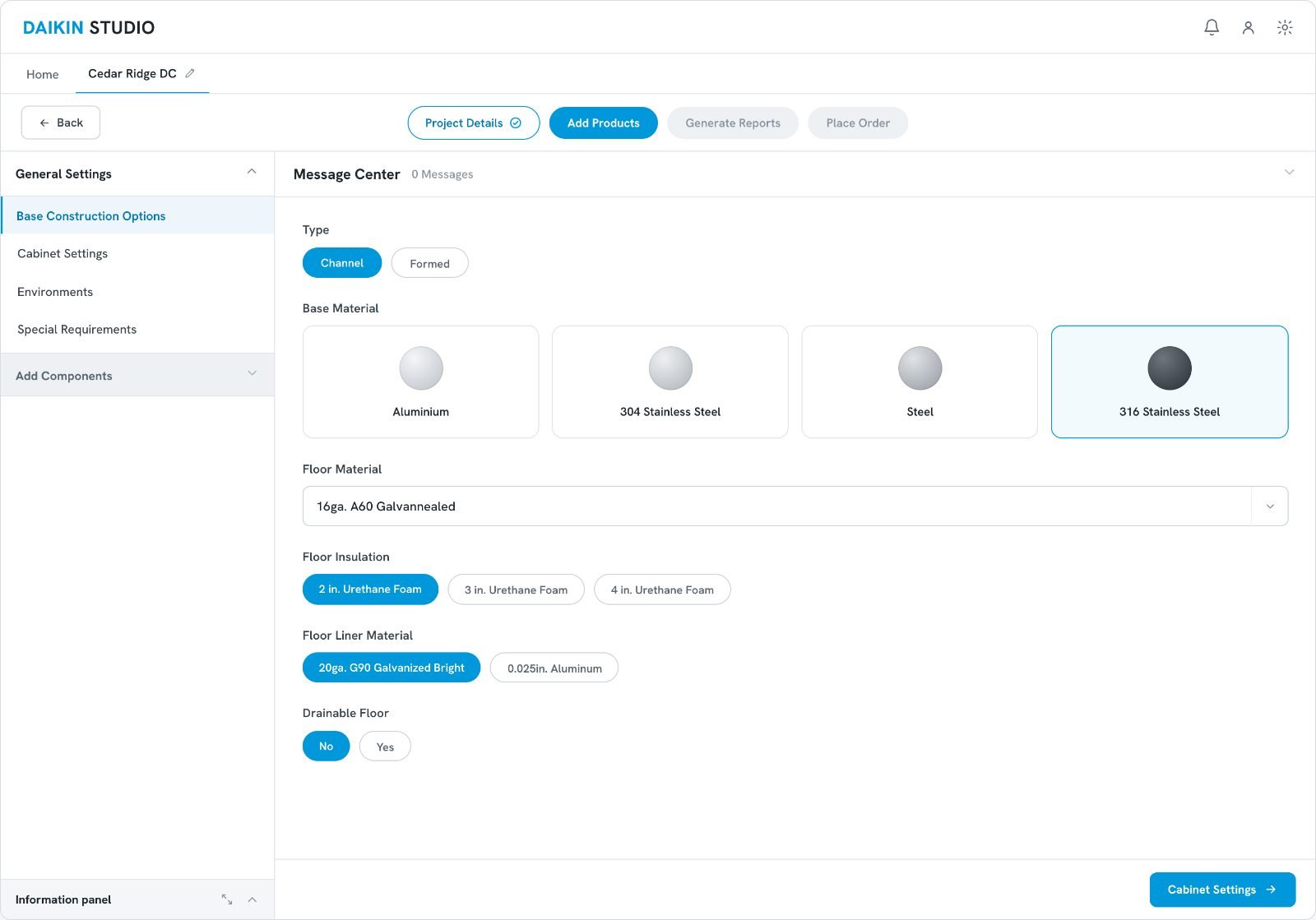
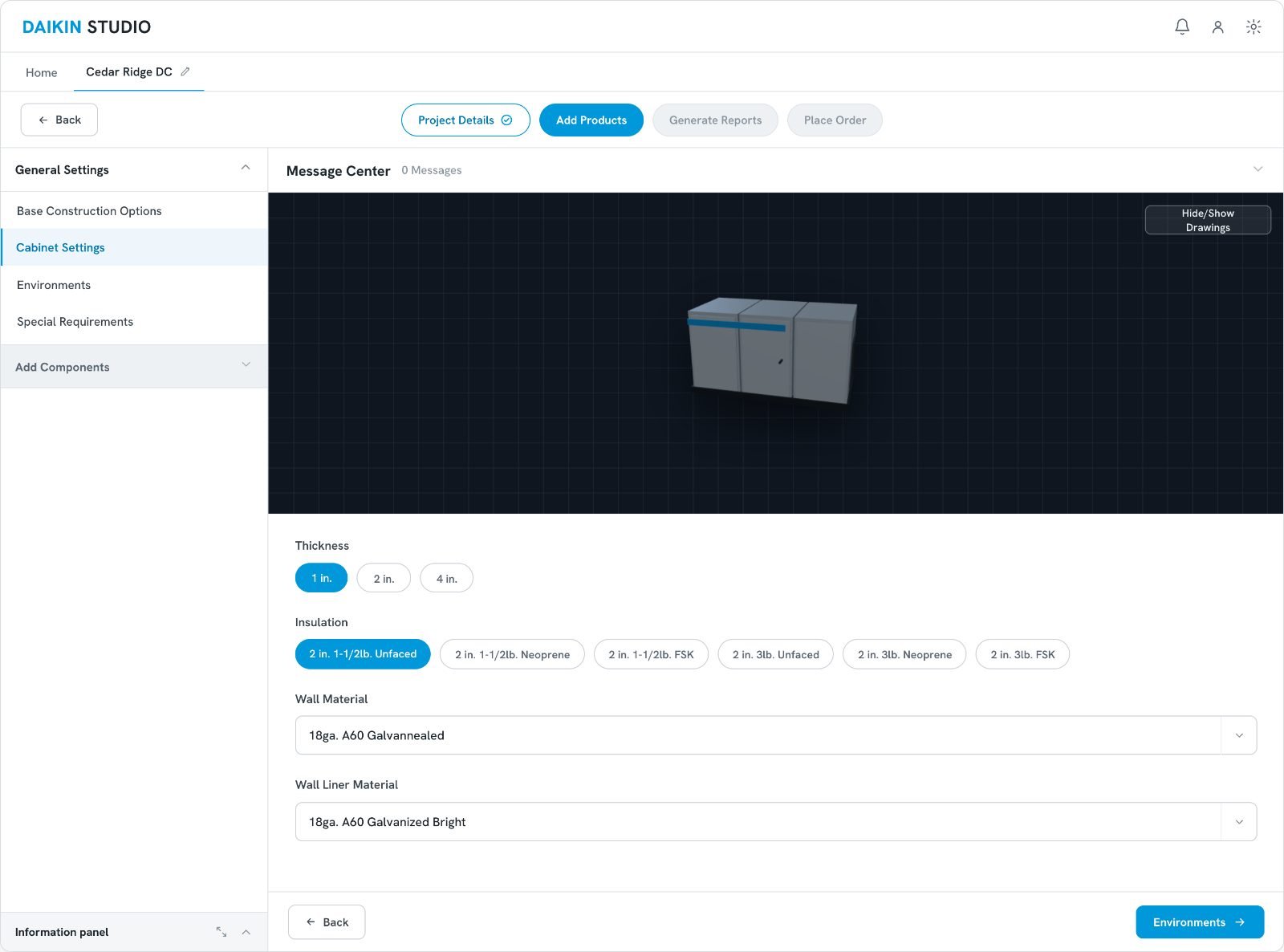
Co-Creating with Subject Matter Experts
Custom air handlers follow complex spatial rules. Working directly with SMEs was the only way to translate those constraints into a UI accurately.
A visual builder that accommodates complex setups — tunnels placed side by side or stacked vertically — making engineering configuration visual rather than pure data entry.
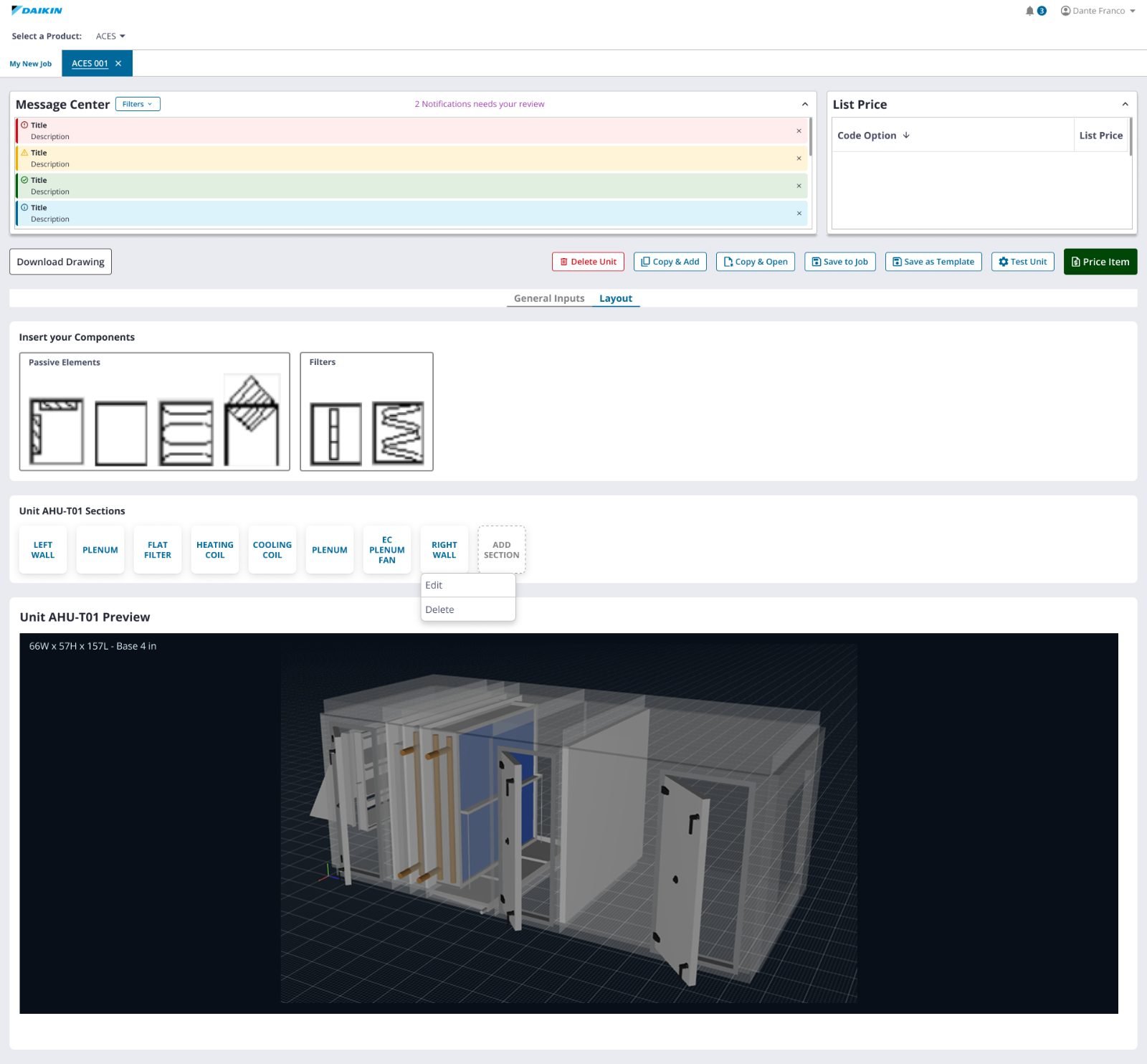
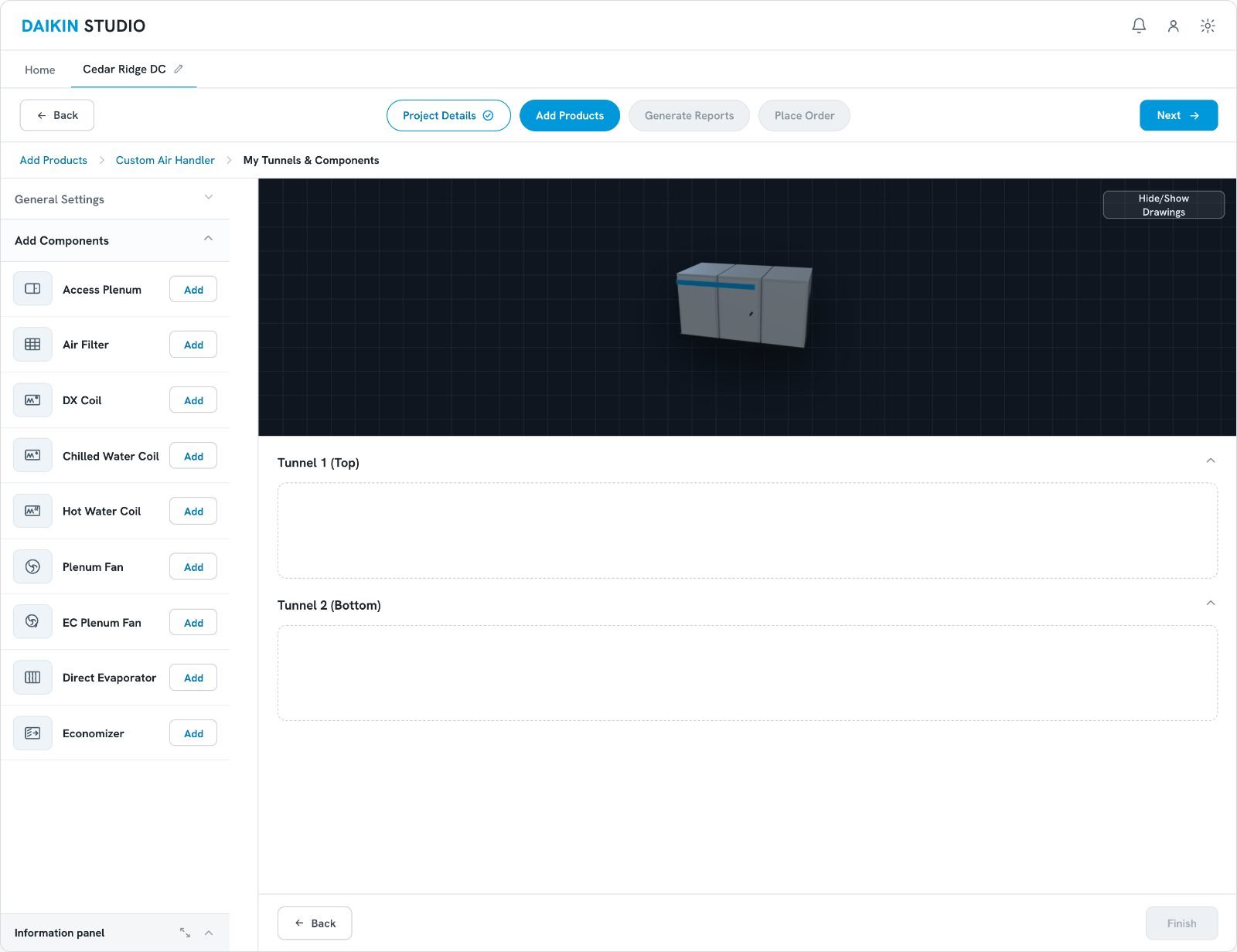
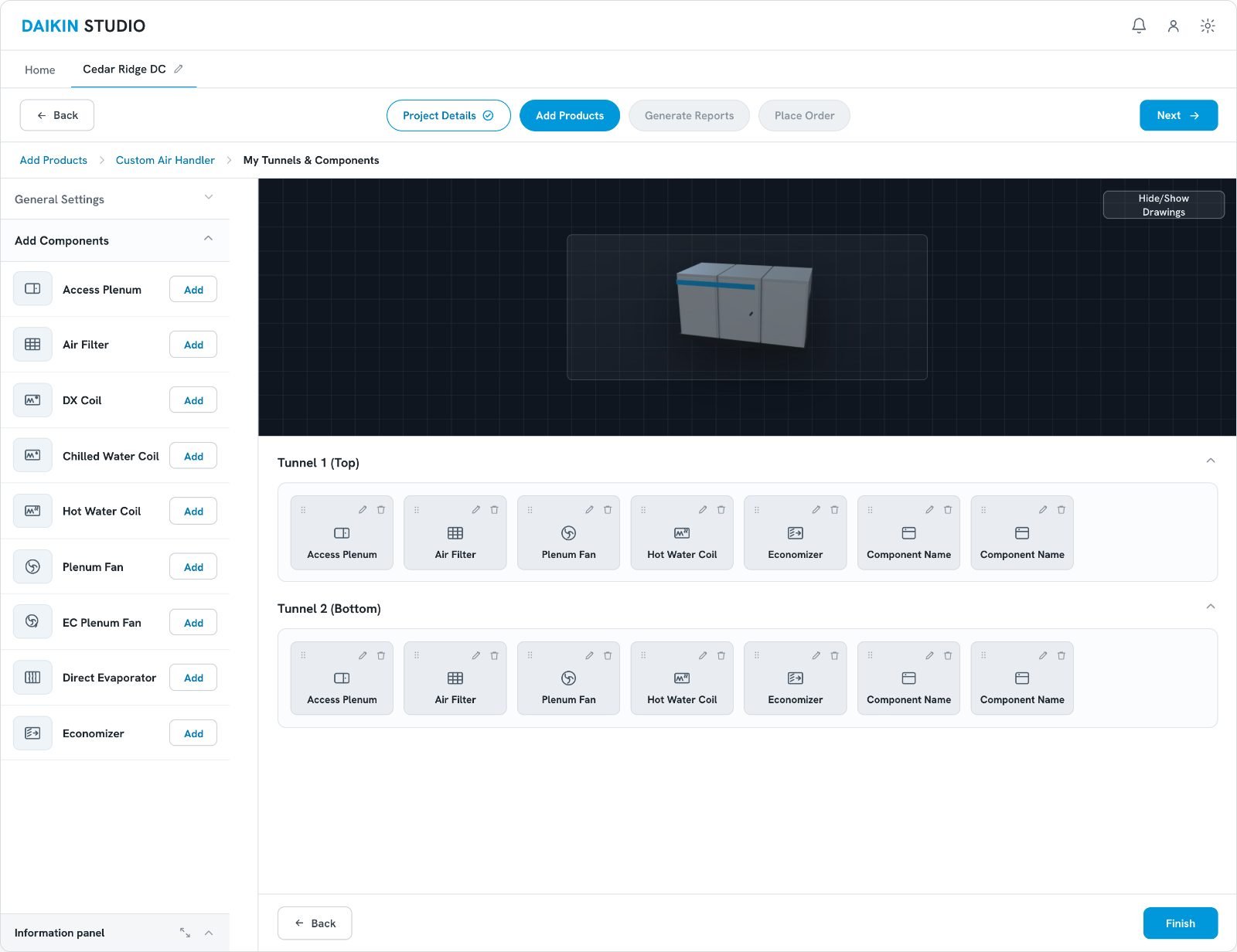
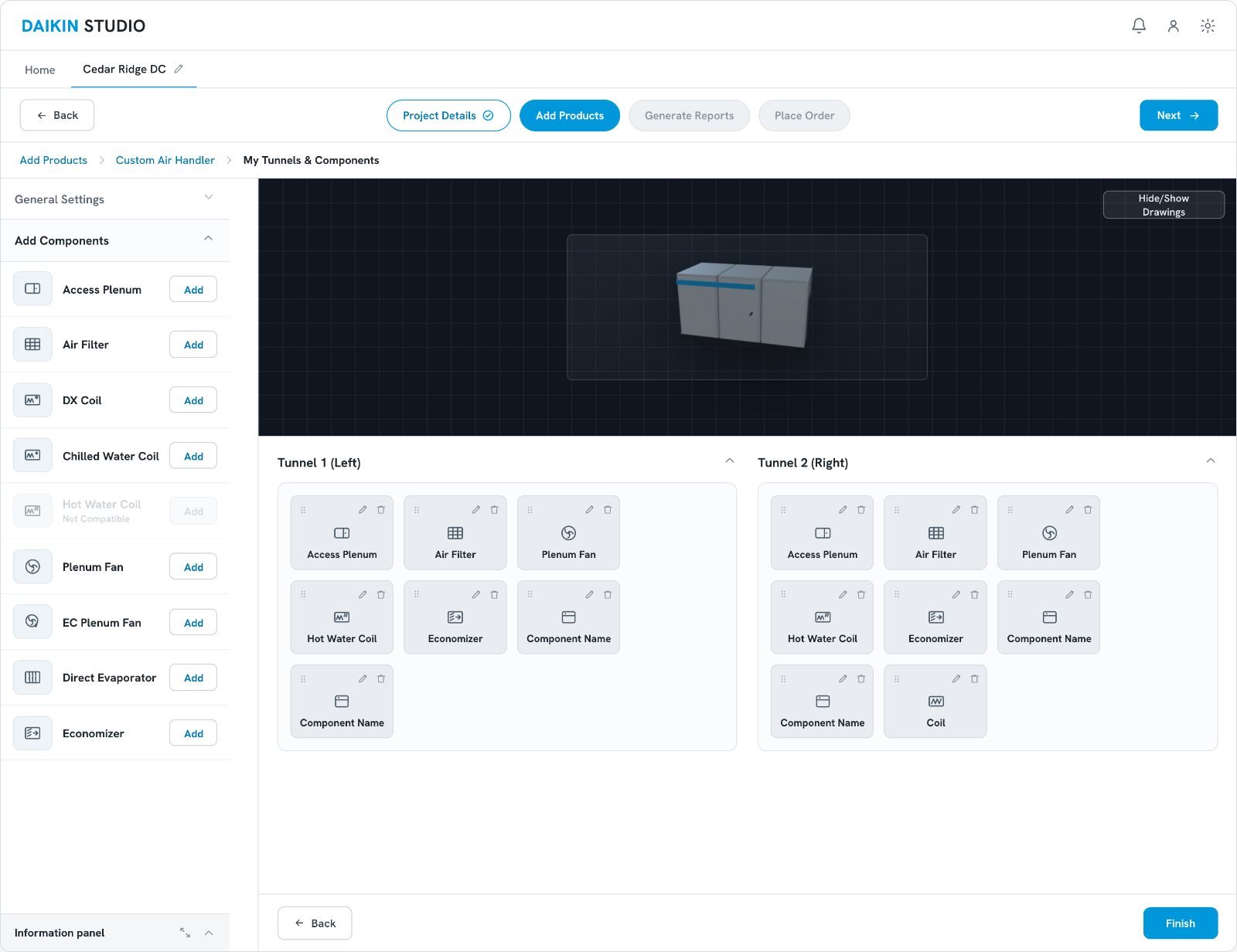
Why it changed: the single strip could not express the spatial rules SMEs kept describing — components stacked vertically, or two tunnels running side by side. Tunnels replaced the strip so the layout on screen matched the physical unit being built.
Eliminating Alert Fatigue
The legacy system bombarded users with alarming red errors for simple warnings, so real engineering conflicts were indistinguishable from noise.
We separated critical errors from standard warnings and introduced Smart Resolve — a suggestion of the correct value that engineers can apply in a single click.
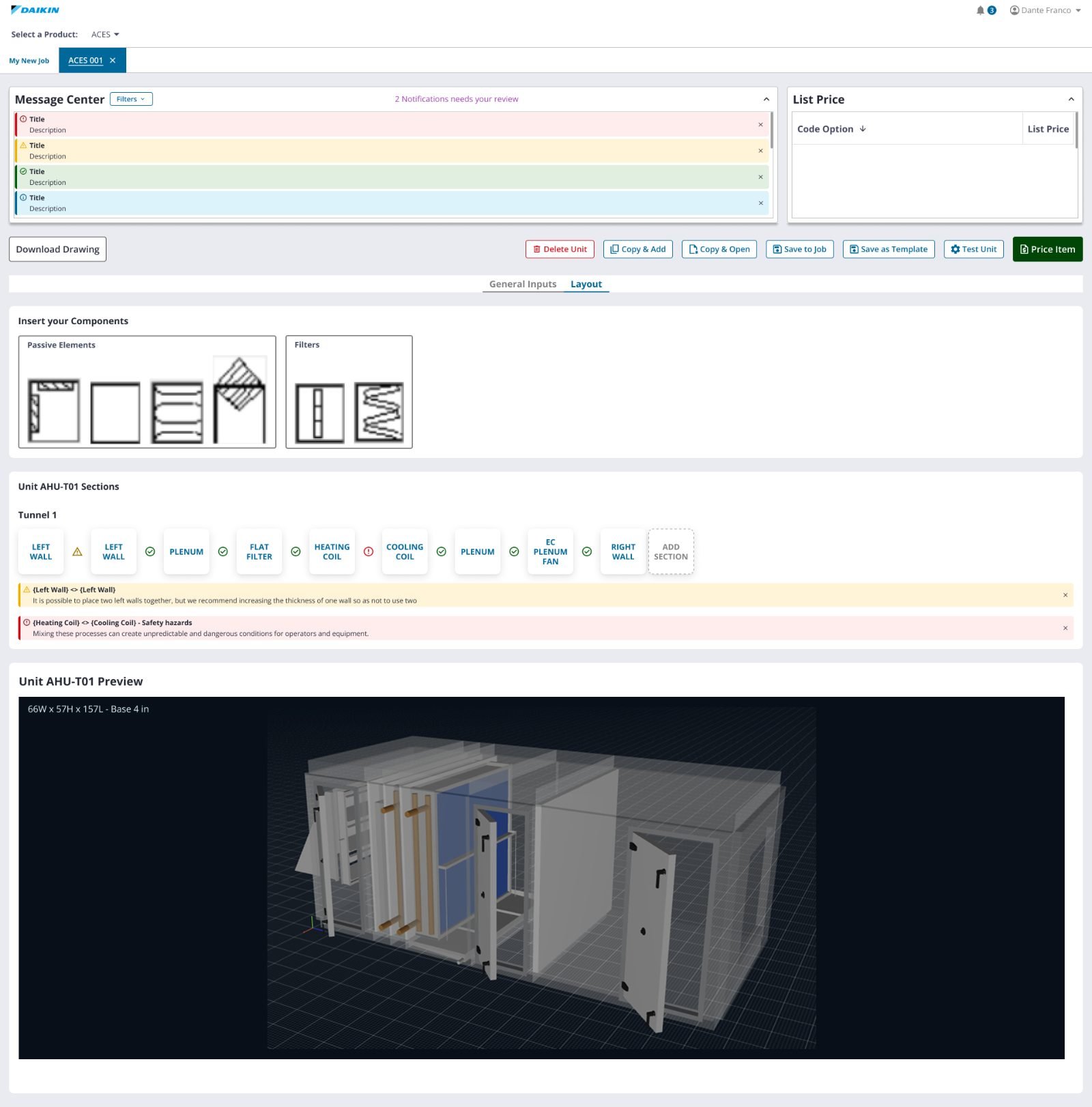
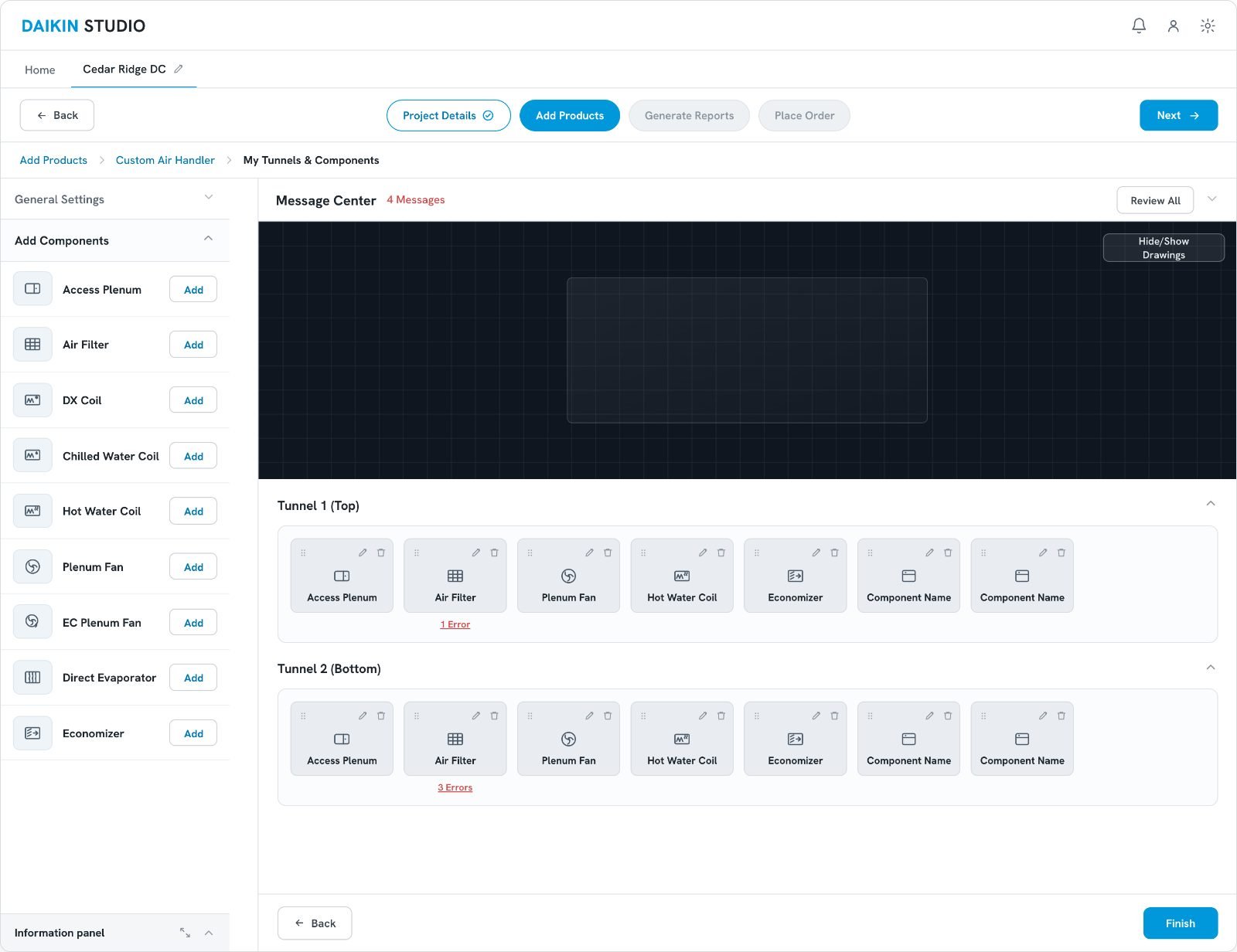
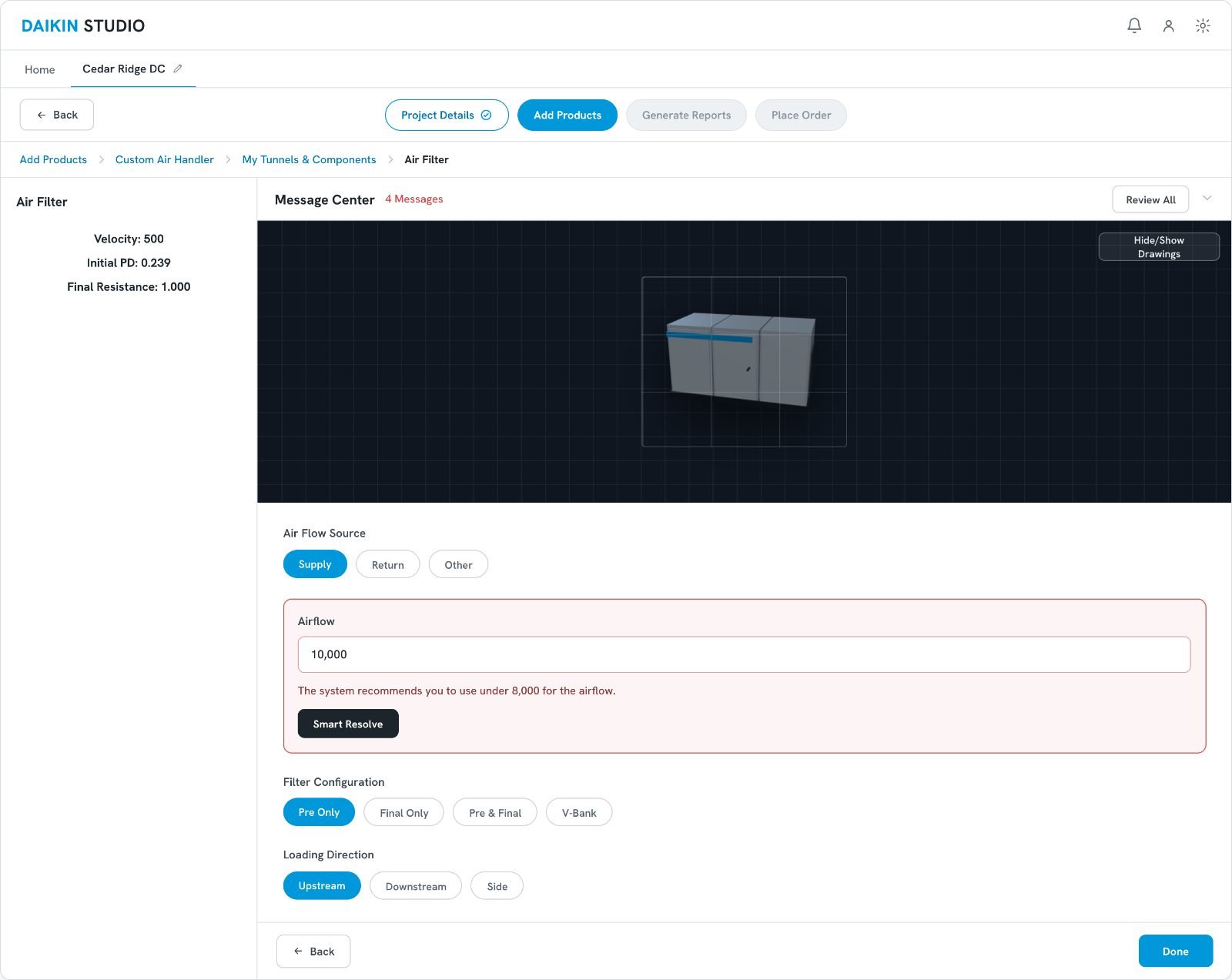
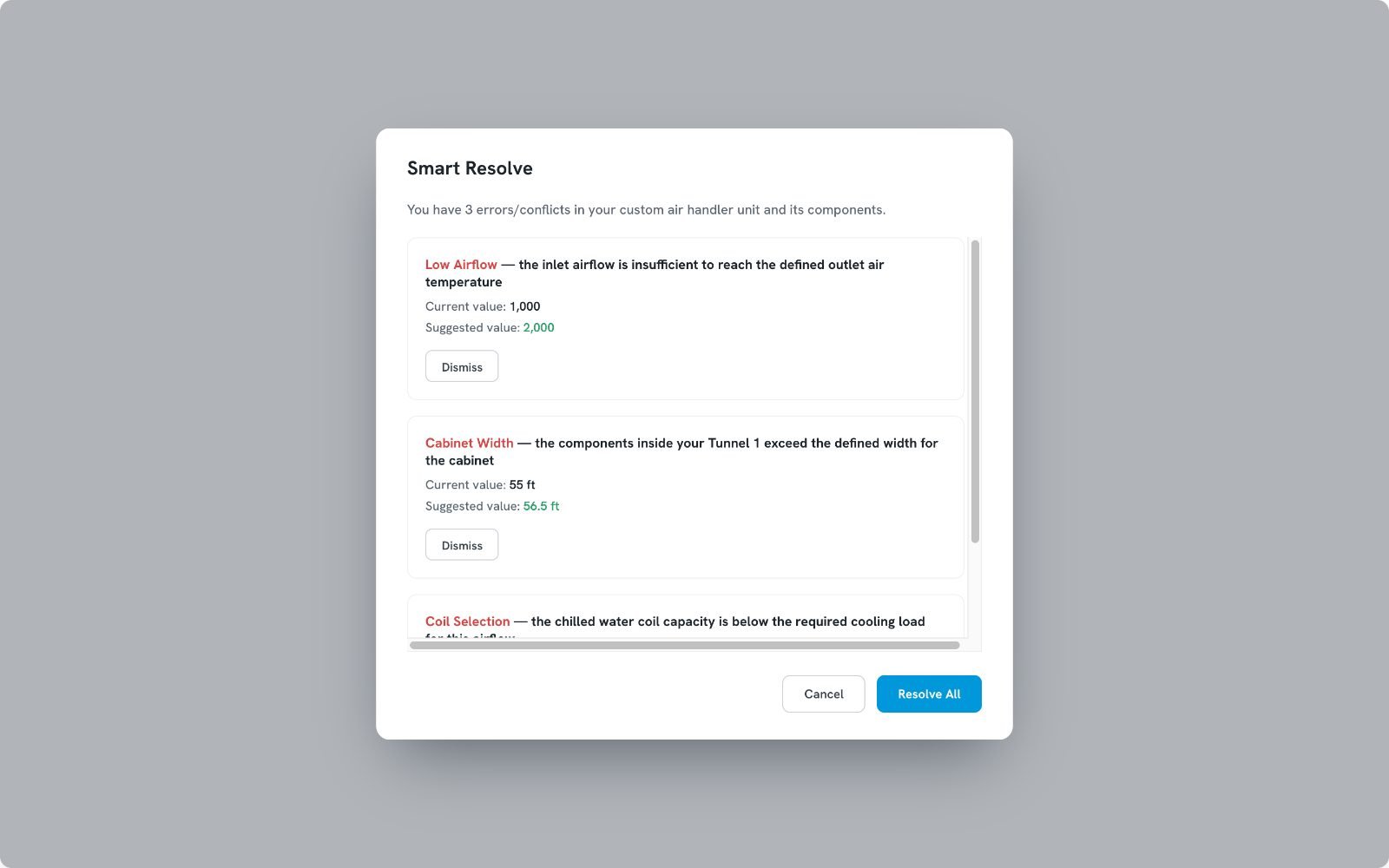
Smart Resolve handles the three conflicts it can compute a correct value for. The fourth needs engineering judgment, so the system routes the user into the air filter component rather than guessing — automating what is safe to automate, and no more.
A Seamless Handoff to Production
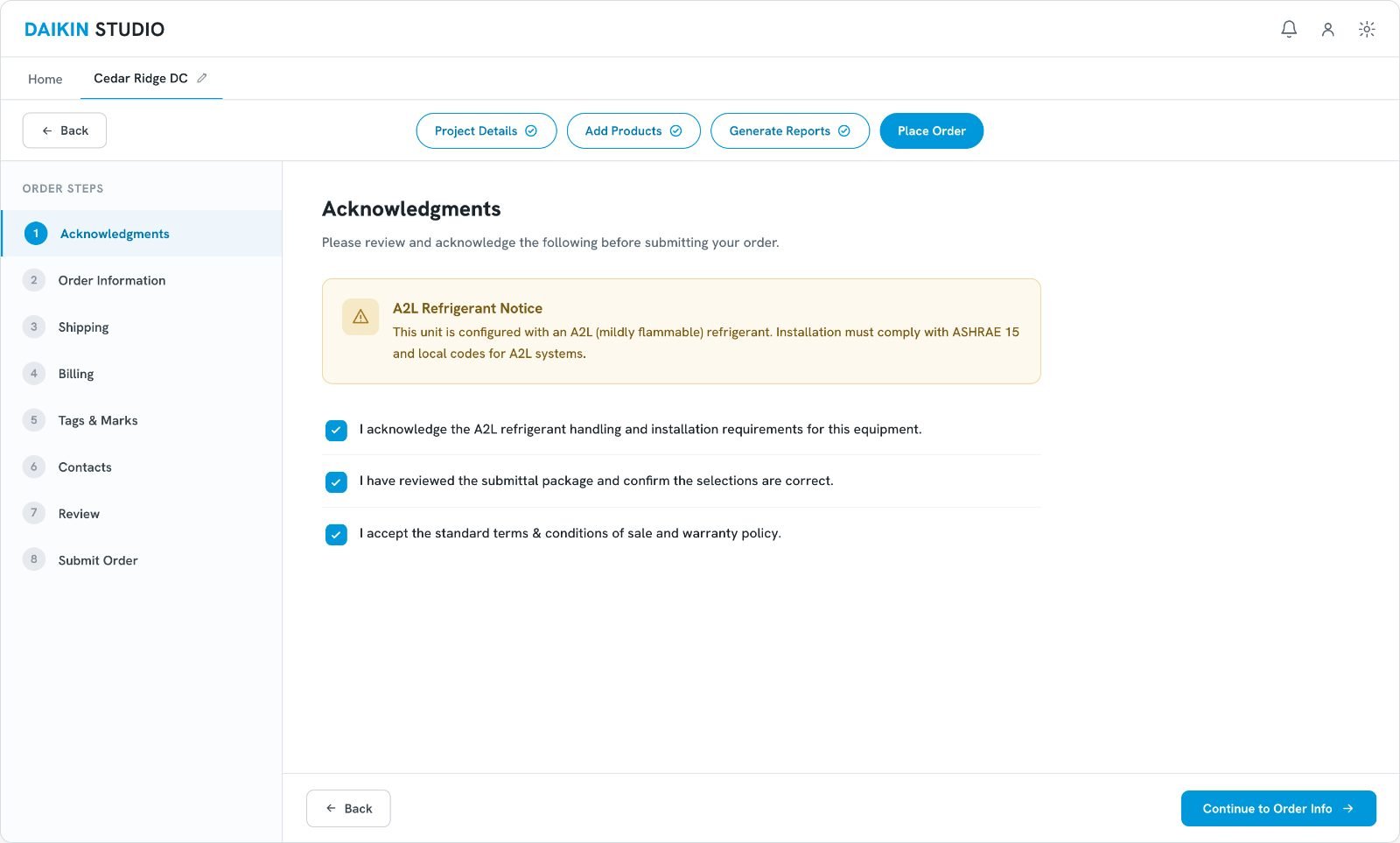
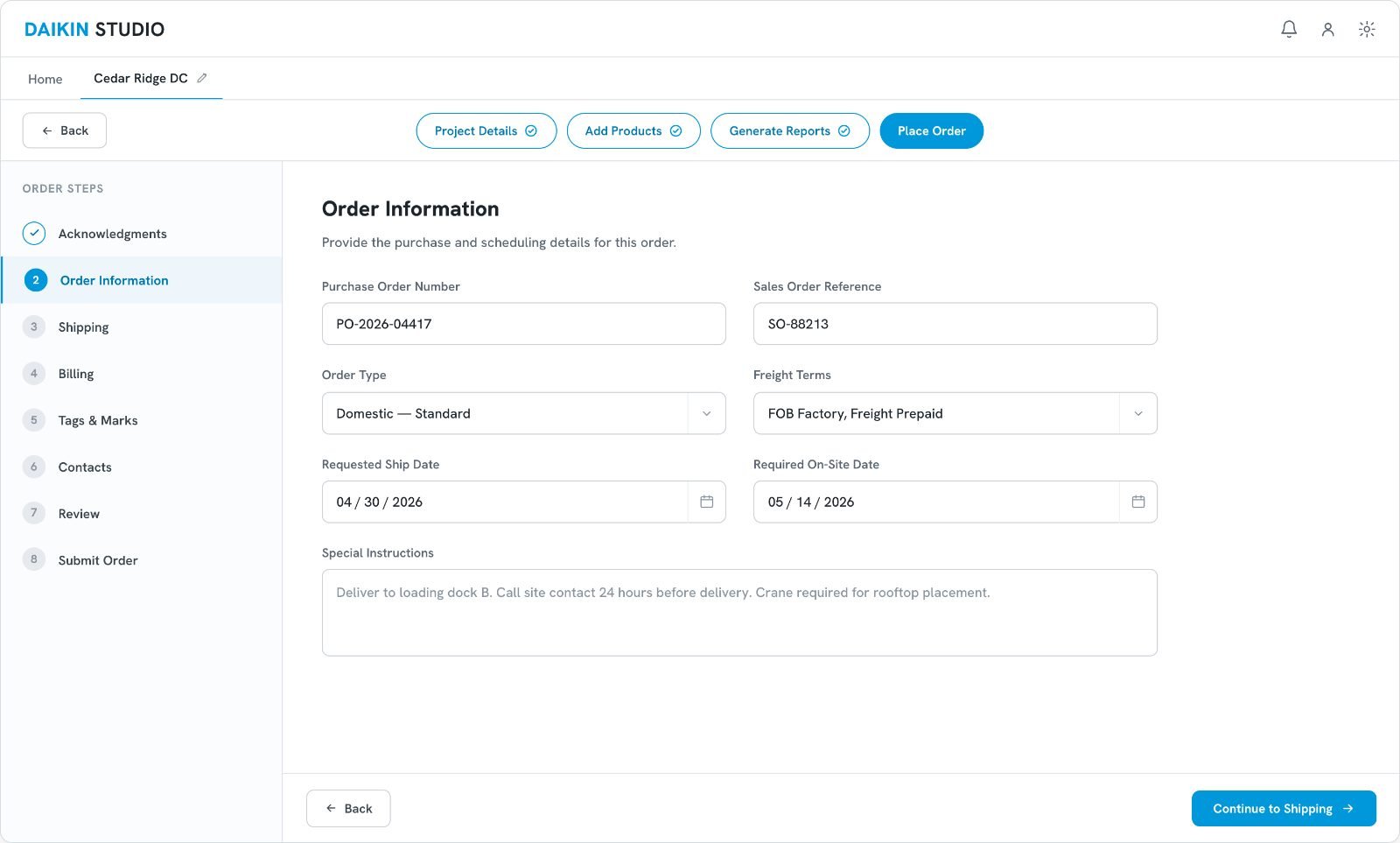
The final stages of the flow ensure every legal and safety compliance — such as A2L flammable refrigerant notices — is acknowledged securely before the order is submitted.
In a regulated category the acknowledgment step is what makes an order legally submittable, so it had to be impossible to skip without feeling punitive to the person placing it.
Results & Adoption
Outcomes, phased by design.
Speed is projected from the stages removed from the quoting path, not instrumented. The reduction in configuration errors is a design outcome rather than a measured one. Adoption was built to be progressive and was still underway when the engagement ended in May 2025.
What I'd Do Differently
The pivot was the right call. The gaps were in how we set it up and how we proved it.
Analyze the journey before the architecture is decided
We discovered the workflows themselves were broken while analyzing the journey — but by then stakeholders had already committed to porting the desktop apps, so the rebuild had to be argued rather than assumed. I would run that analysis before the architecture decision, not after it.
Define the migration criteria up front
Launching with custom air handlers only was the right way to manage adoption risk. But we never set the threshold that would prove Studio ready for coils, chillers and the rest. Without that bar written down, “progressive” can quietly turn into “indefinite”.
Instrument the baseline before redesigning it
The 45–50 minute baseline came from what reps told us in interviews, not from measurement. I would instrument the legacy flow first, so the number after the redesign is measured rather than projected from the steps we removed.
None of these would have changed the design. All three would have changed how well I could defend it.