One CMS behind thousands of stores
PepsiConnect is the mobile app store owners use to order PepsiCo products. The B2B Admin Tool is the CMS that feeds it — products, campaigns, segments and promotions.
Inside PepsiCo the people who run it are called Unit Business users, and they are specialised by area. Some manage segments, some products. This project was for the ones who create promotions.
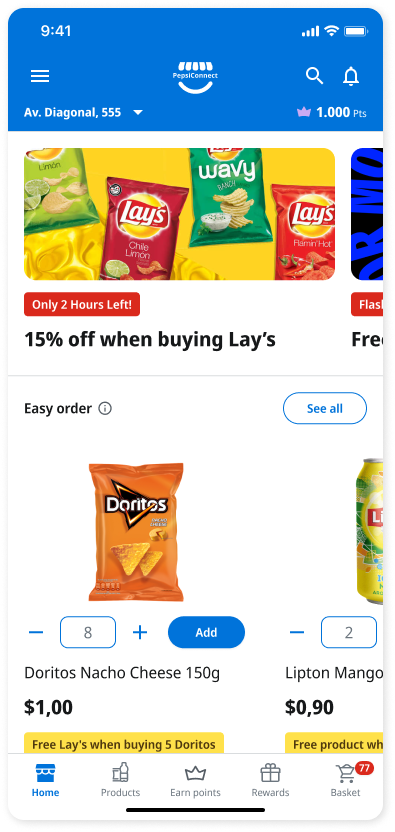
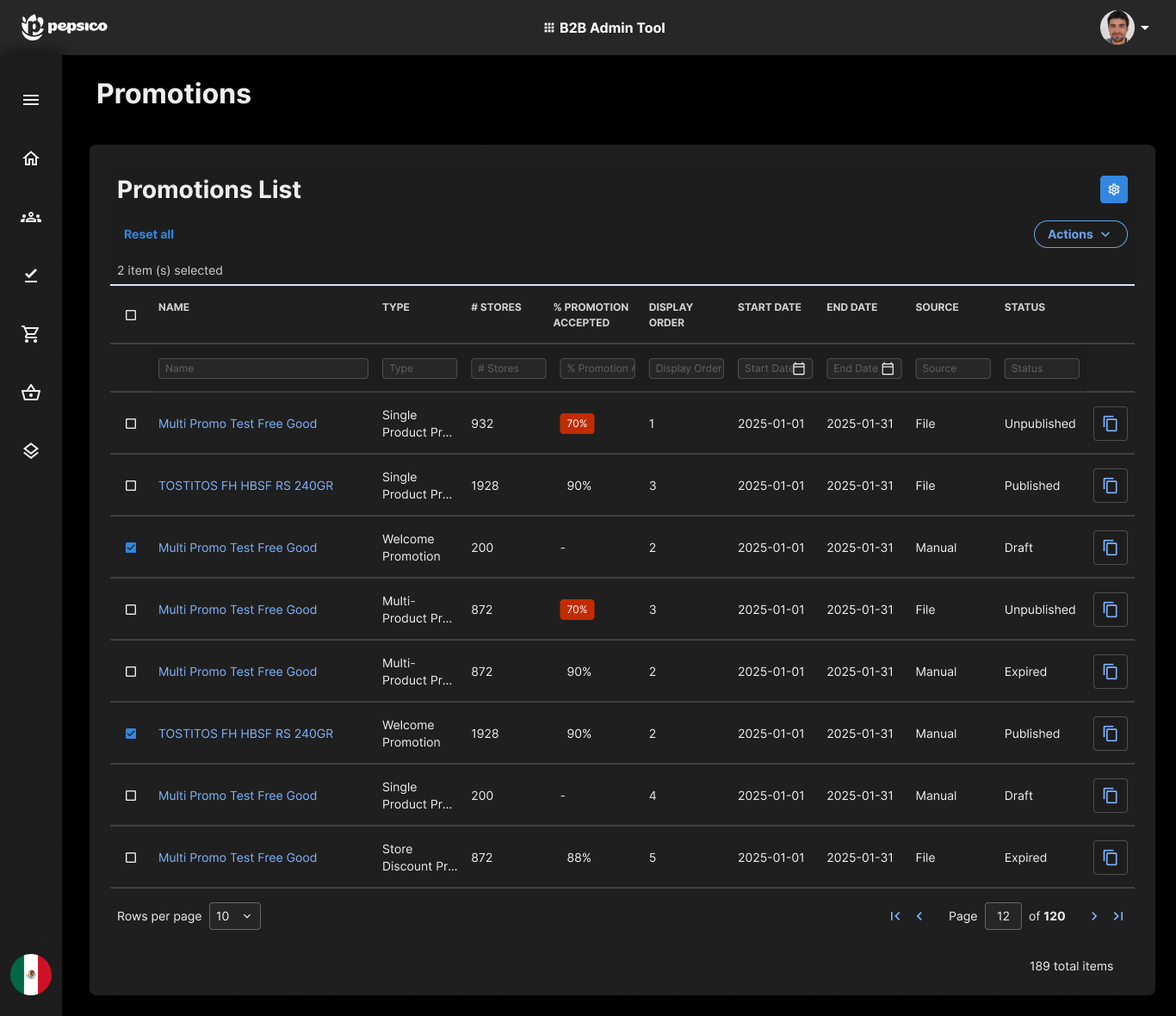
Promotions were assembled by hand
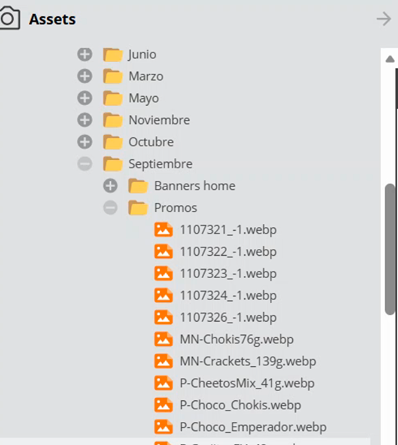
Creating one promotion meant pulling images out of a shared repository organised in month folders, renaming files to a convention with the help of a script, and attaching them one at a time.
Bulk paths existed, but they failed often enough that people fell back to editing item by item.
“Very manual process, 1 by 1… naming convention — uses a script to help name images.”
Nine steps, and it cannot start inside the system
Creating one promotion in the Admin Tool runs through nine screens, and branches into four variants depending on the promotion type. Add Products alone opens five different paths — category, brand, product, GTIN or product ID.
The Business Unit requests campaign imagery from a designer and waits about two days. Nothing below can begin until those assets exist.
Four variants run through this same chain: Single Product, Multi-Product, Store Discount and Welcome Promotion.
This is the existing path in the Admin Tool, designed before I joined the project. It is what the agent was meant to replace.
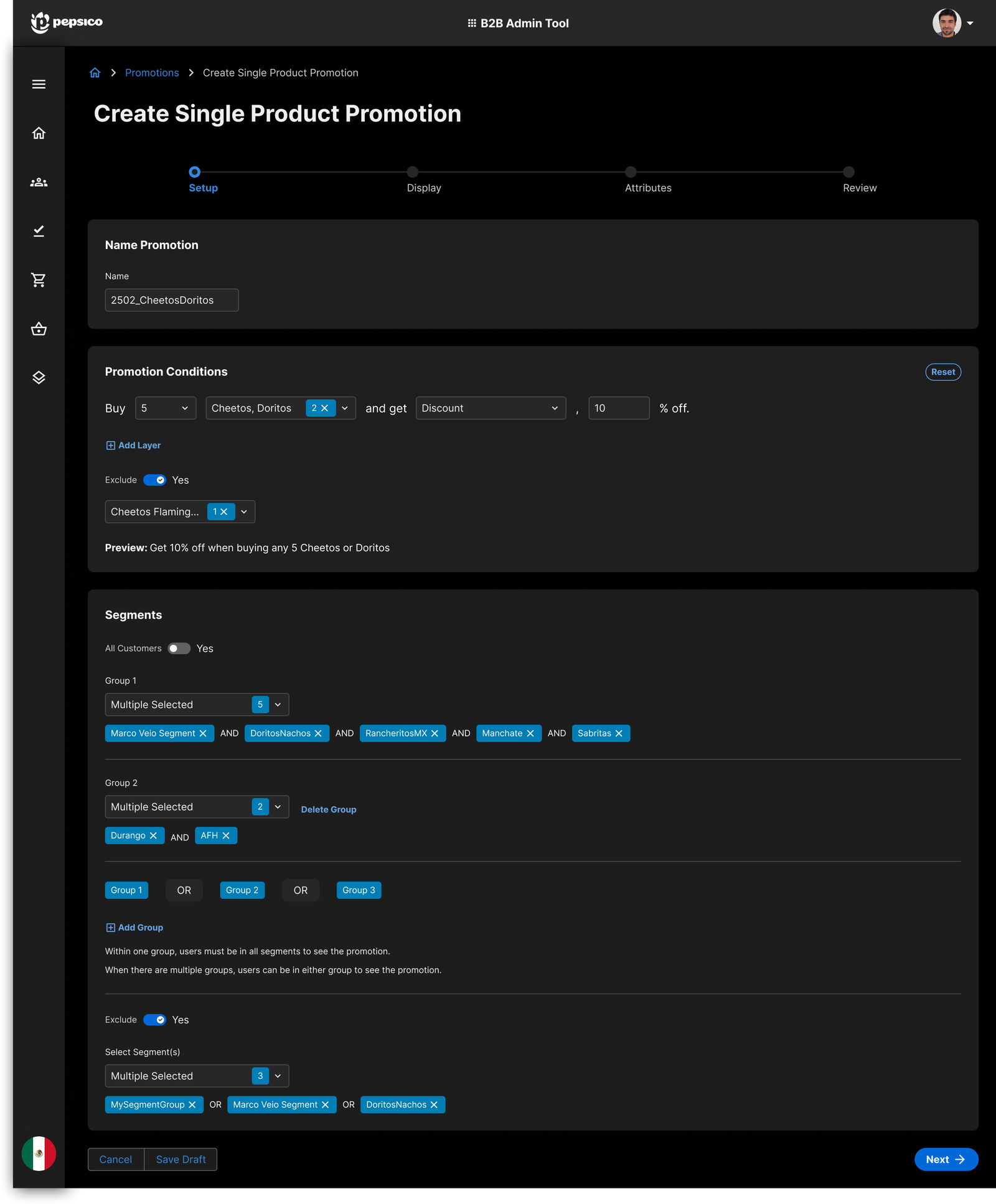
What filling one out actually looked like
Every step is a dense form. Setup defines what the promotion is, Display carries the imagery that was requested two days earlier, and Attributes sets the mechanics that decide what a store owner finally sees in PepsiConnect.
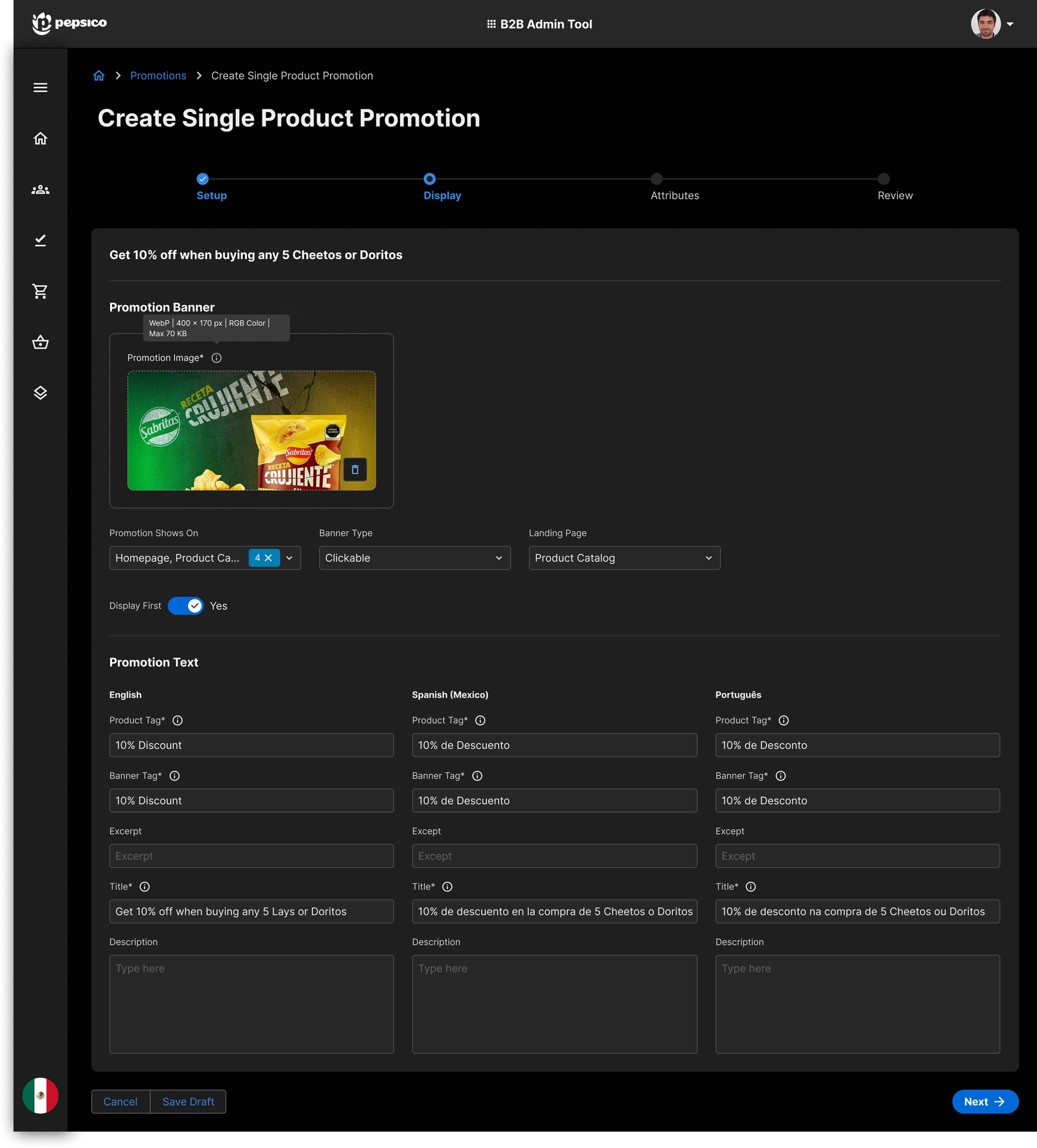
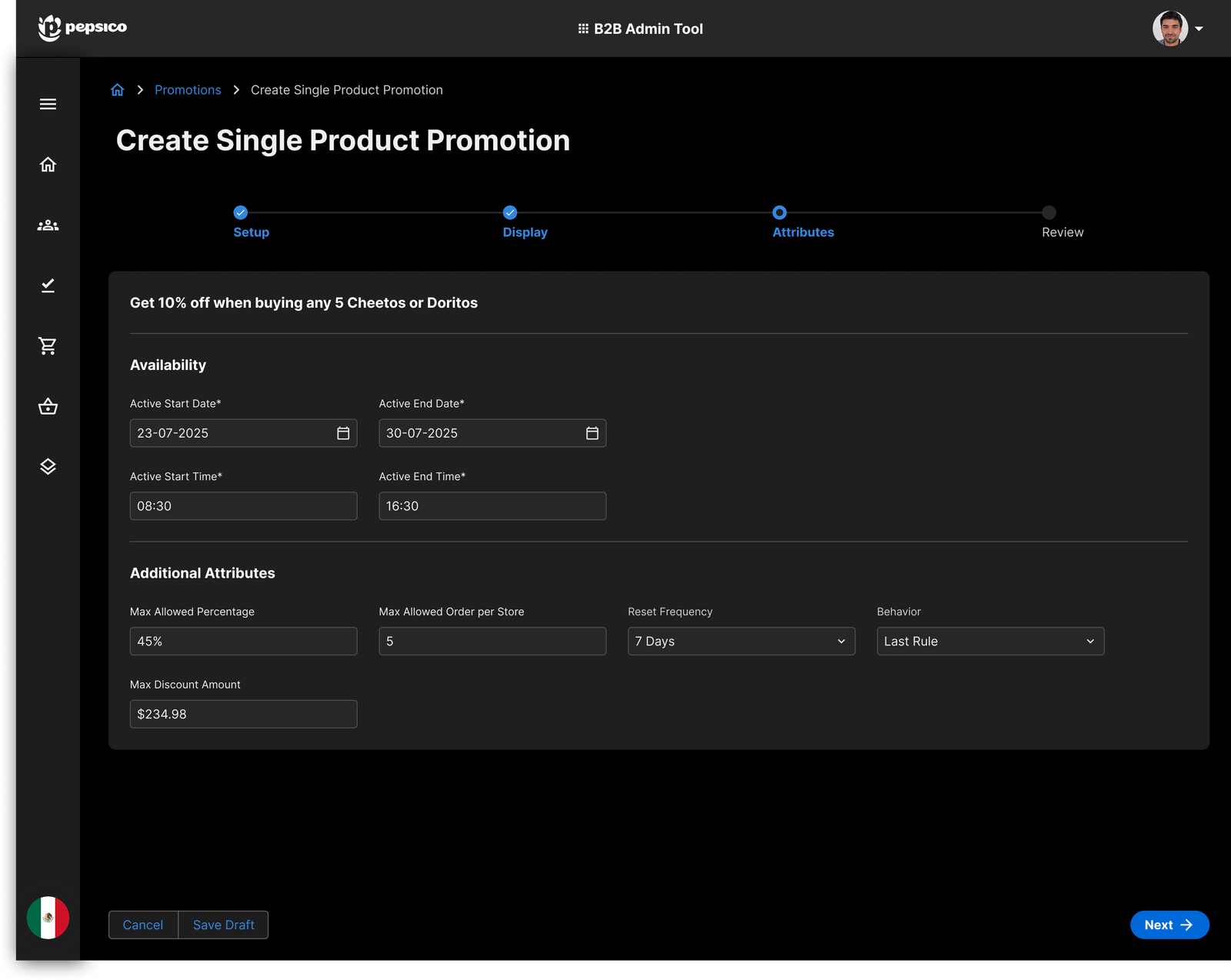
“Think without limits.”
So I did. What came back was a system nobody could build in two quarters — and that turned out to be the useful part.
What thinking without limits looked like
A promotion engine that would generate the campaign and every asset around it: social display ads sized for each network, TV and cinema commercials, POP material for supermarkets, billboards with recommended coordinates, out-of-home placements down to bus wraps and subway panels.
And a launch that reached PepsiConnect and the Joy consumer app at the same time.
What survived, and why
Mike Abbondondolo, the project lead, drew the line at what could realistically ship in the short to medium term.
Everything that needed media production, ad-network integrations, print pipelines or infrastructure that did not exist yet.
The one part where PepsiCo already had the raw material — thousands of past promotions and their performance — and where the output landed in a system that already existed.
The constraint made the idea sharper. Stripped of the media machine, what was left was the question actually worth answering: the data was already there, and nobody could act on it.
“What if we had all the sales data in a specific region and noticed that Gamesa products are not being bought — could we create a promotion with a single button, choose segments, and add an image?”
My own research note, filed in the same file months before the agent was designed.
The data already existed. Nobody could act on it. The agent's job was never to be clever — it was to close that gap.
Asking in plain language
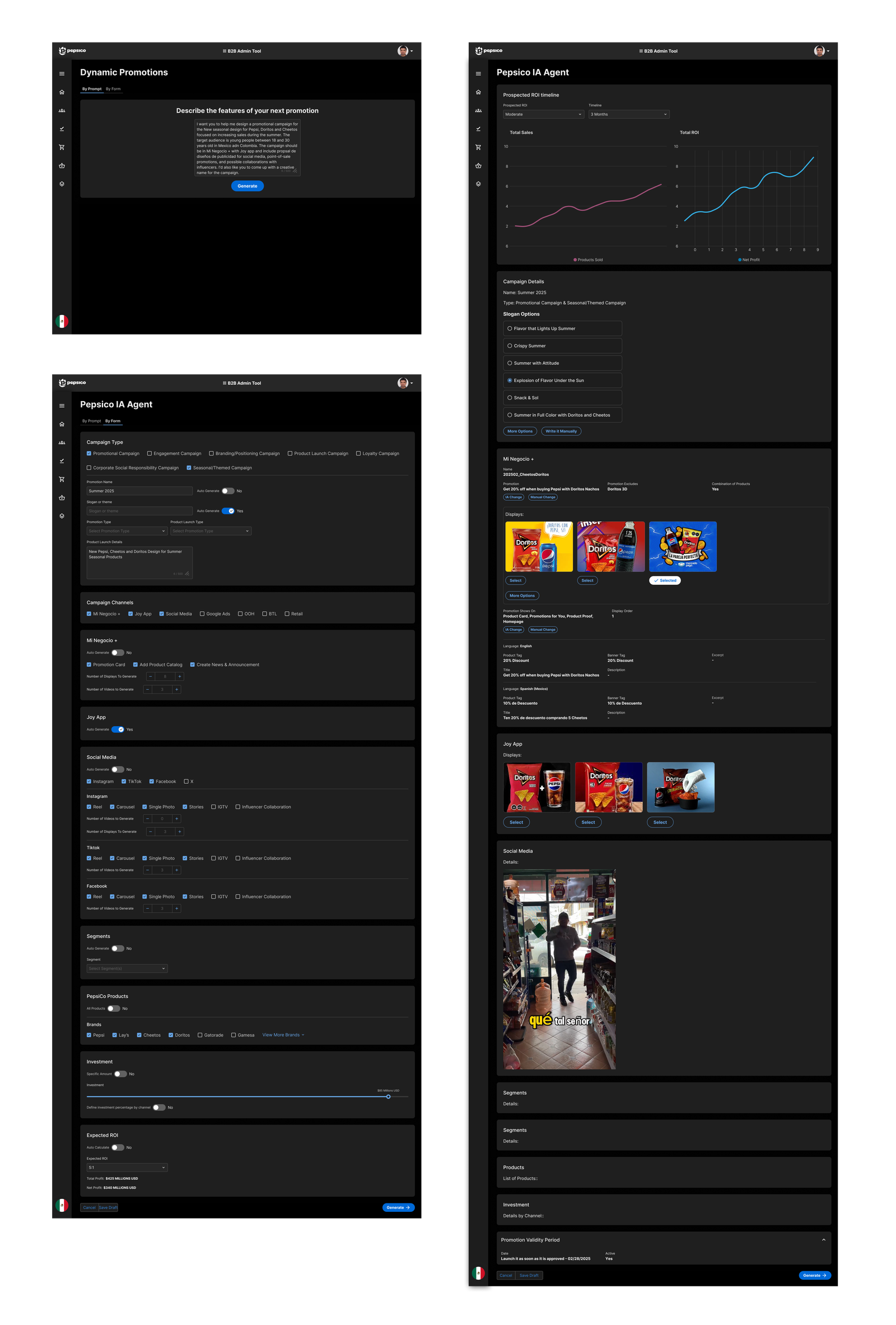
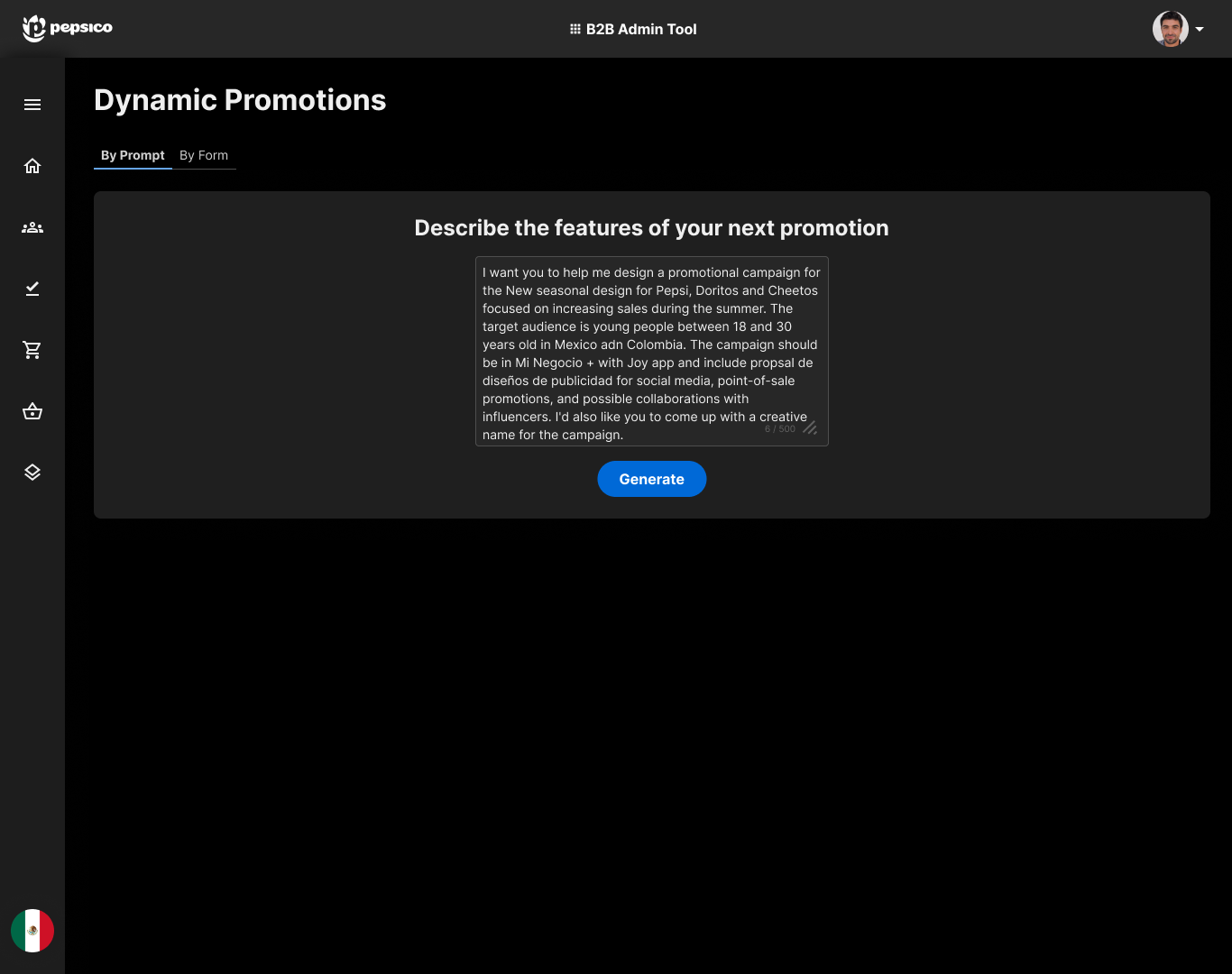
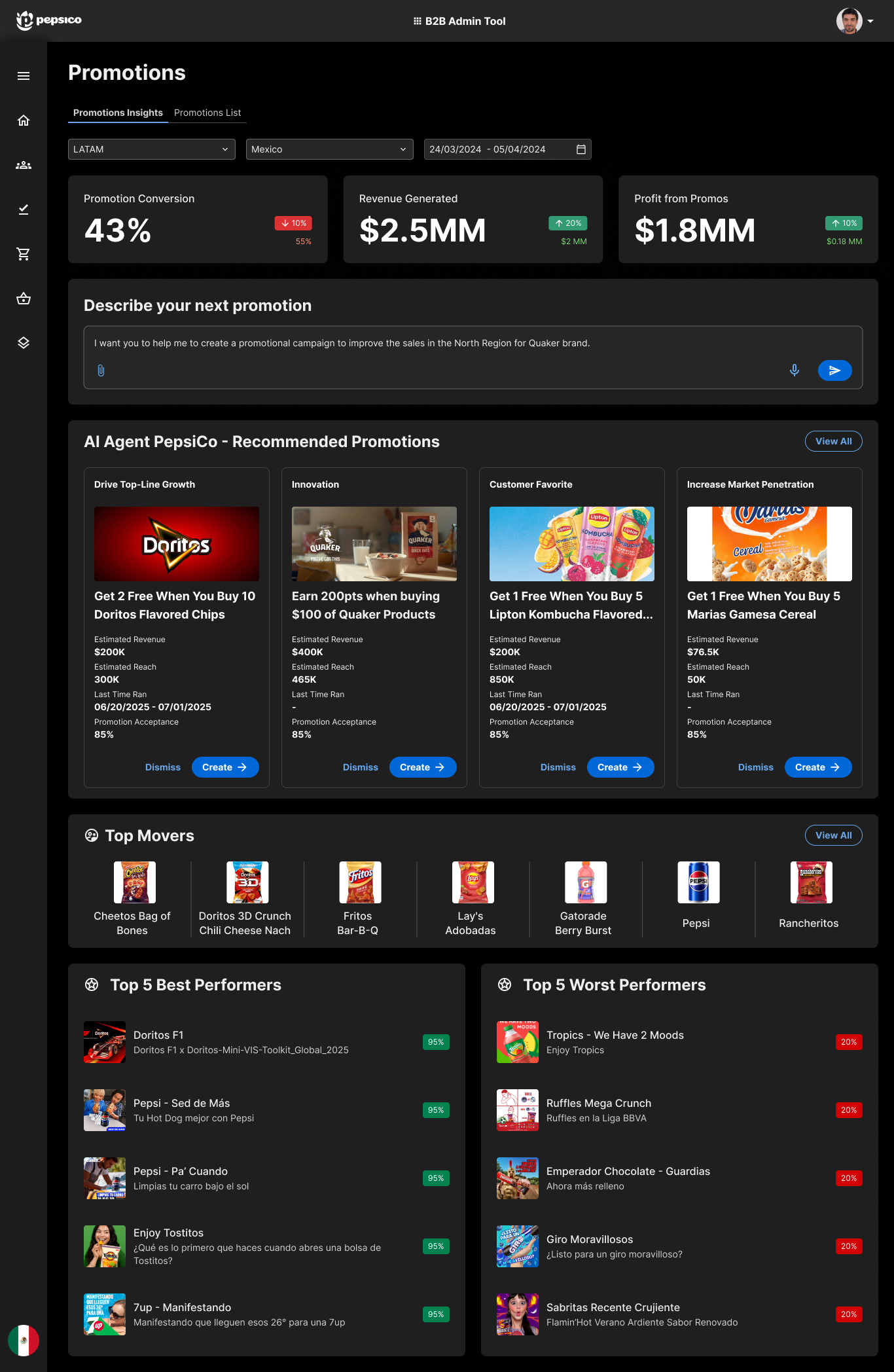
For a promotion specialist who has an intent but not a specification. They describe what they want, and the agent reads across thousands of past promotions and their performance to come back with a proposal.
The prompt can be as loose as a hunch or as tight as a brief — the point is that nothing has to be decided before you start.
“Help me create a promotional campaign to improve sales in the North Region for the Quaker brand.”
Asking with precision
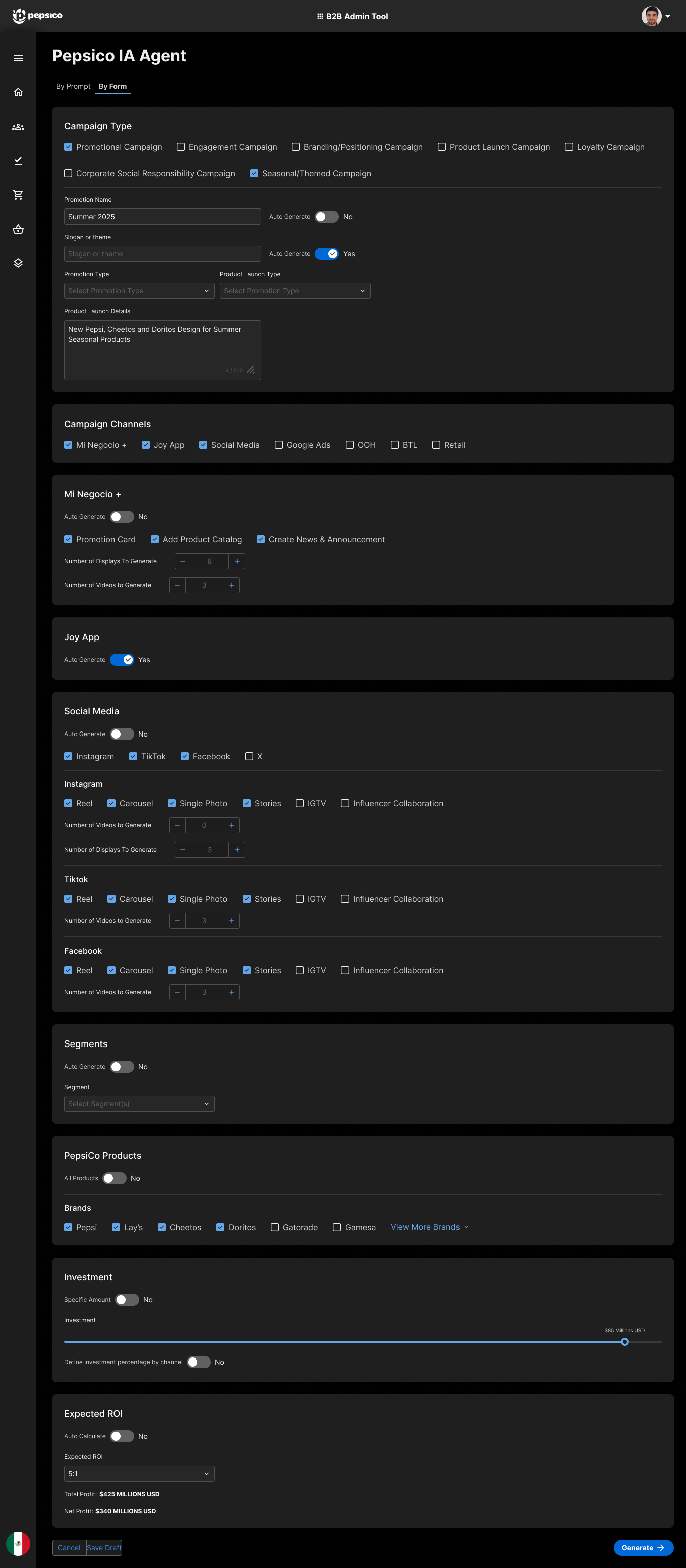
The same agent, a different door. The user fills only the fields they already care about — brand, region, segment, dates — and the agent completes everything left blank from performance data.
No field is mandatory. Constraints you have are respected; constraints you do not have are inferred.
Two entries exist because the same specialist works both ways: prompt when the idea is still loose, form when the constraints are already fixed.
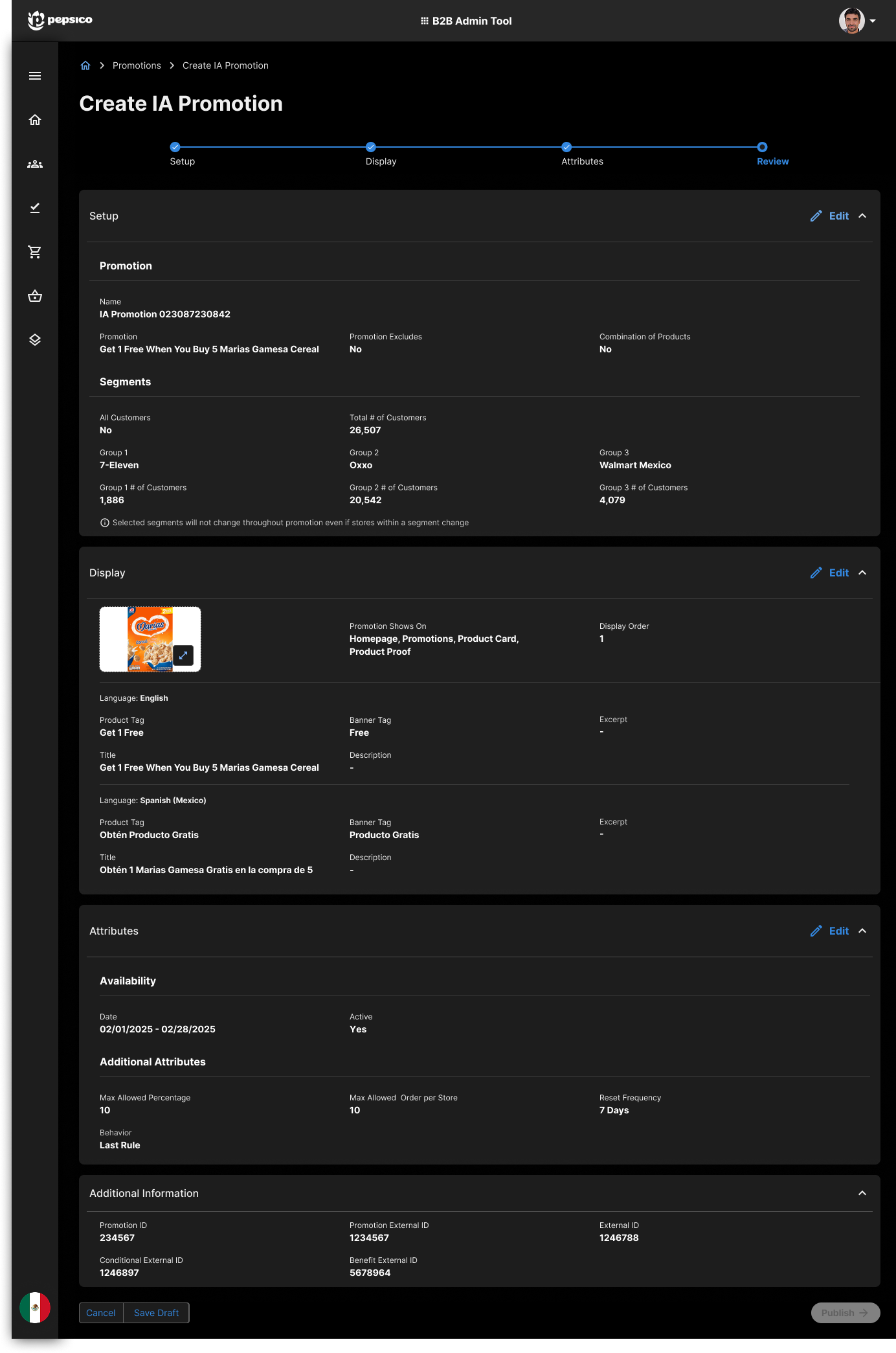
The agent proposes. The user decides.
Nothing generated is published. Every promotion lands in a review state first — mechanics, segments, imagery and projected performance all editable before anything goes live.
Alongside it, the agent projects how the promotion is likely to perform — redemption rate, revenue generated, estimated revenue — inferred from thousands of past promotions, their periodicity and their results.
The point is not the forecast. It is that the user gets to disagree with it before publishing.
Automating the proposal, not the decision.
Where it landed
The concept was approved by the project lead and scoped into a later delivery increment. My contract ended when the budget for it was cut; roughly 95% of the Admin Tool was built by then. I did not stay long enough to see the agent ship, and I have no measured result to report.
Trust
Whether a specialist will publish a generated promotion as-is, or quietly rebuild it by hand — the difference between a useful agent and an expensive one.
Entry modes
Whether the same person really uses both doors, or whether one wins and the other becomes dead weight.
A real baseline
How long creating a promotion actually takes today, measured rather than estimated, so the next version has something honest to improve on.
I never got to measure it. Naming that is more useful than inventing a number.